Portfolio and Personal Page Templates for Freelancers, Couples, Tutors and Local Businesses
New Keepp templates for a freelance portfolio, a page about you, a wedding, a DJ, a tutor, and for barbers, tattoo studios, cleaners, caterers and community groups. Pick the one that fits you and make it yours in a few minutes.
Most people who build a Keepp page are selling something: coffee, haircuts, a course. Plenty of people just need a good page about themselves. A designer who wants to get hired. Someone who wants one link that says who they are. A couple with a wedding to organise.
So there are new templates for them, and a few more for local businesses. Each one is a finished page with real photos and example text written for that kind of person. You swap in your own details and publish.
A portfolio website that gets you hired
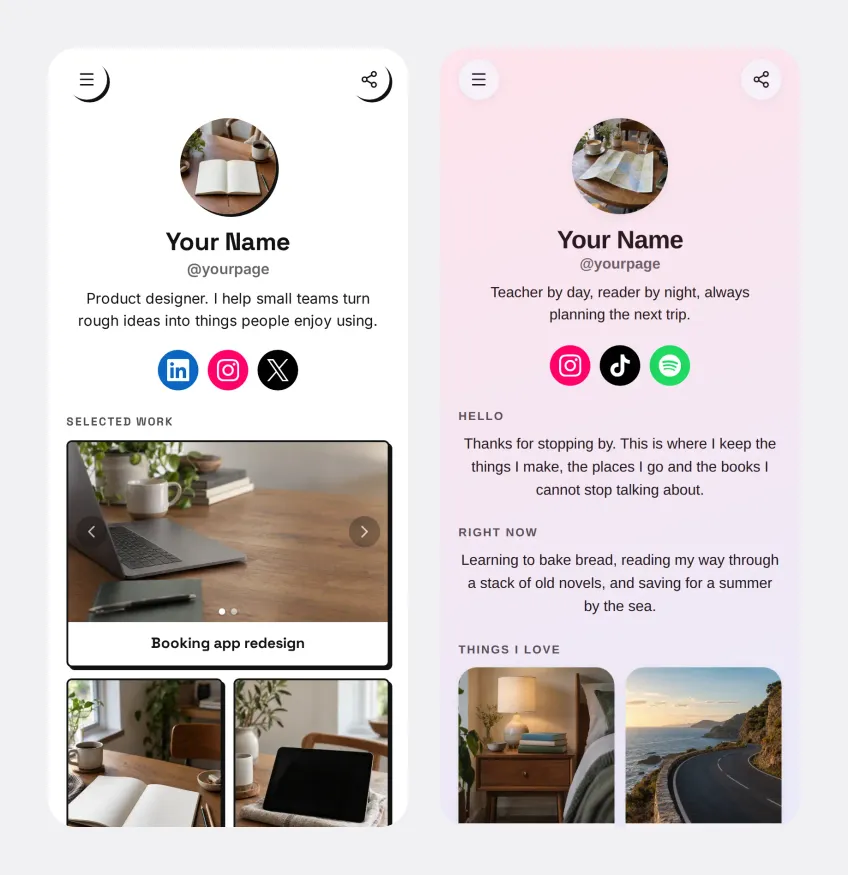
The Portfolio template is for anyone who gets hired for their work: designers, developers, illustrators, copywriters, freelancers of any kind.
Your best projects come first. Each one is a card with a title, a line about what it was, and as many images as you want, so a client can swipe through the before and after without leaving the page. Under the work there’s a short “How I work” section and a list of the clients you’ve worked with.
At the bottom is a Work with me form. Instead of “hey, are you free?” in your DMs, you get the answers you need straight away: what they need, and a few lines about the project. Each enquiry lands in your dashboard and in your inbox, and the sender’s email is checked before it reaches you.
A few things make it work better than a PDF portfolio:
- Every project has its own link. Send a client just the case study that’s relevant to them, with a proper preview when they get it. Each one has a QR code too.
- It can be on your own domain. Your portfolio can live at your own address instead of keepp.link.
- You can sell from it. If you make prints, templates or presets, add them as products. Buyers pay into your own Stripe account.
If you’re weighing up a portfolio against a CV, we wrote about why a personal website beats a resume.
A personal page about you
The About Me template is for people who don’t have a business and don’t need one. It’s a page about you.
It starts with a hello and a short intro. Then a “Right now” section for what you’re up to: the book you’re reading, the thing you’re learning, the trip you’re saving for. Then the things you love, as photo cards. Your socials sit under your name.
Use it as the link in your bio, the link in your email signature, or the page you send when someone asks “what do you do?” It takes about as long to fill in as a social profile.
A wedding website with RSVPs
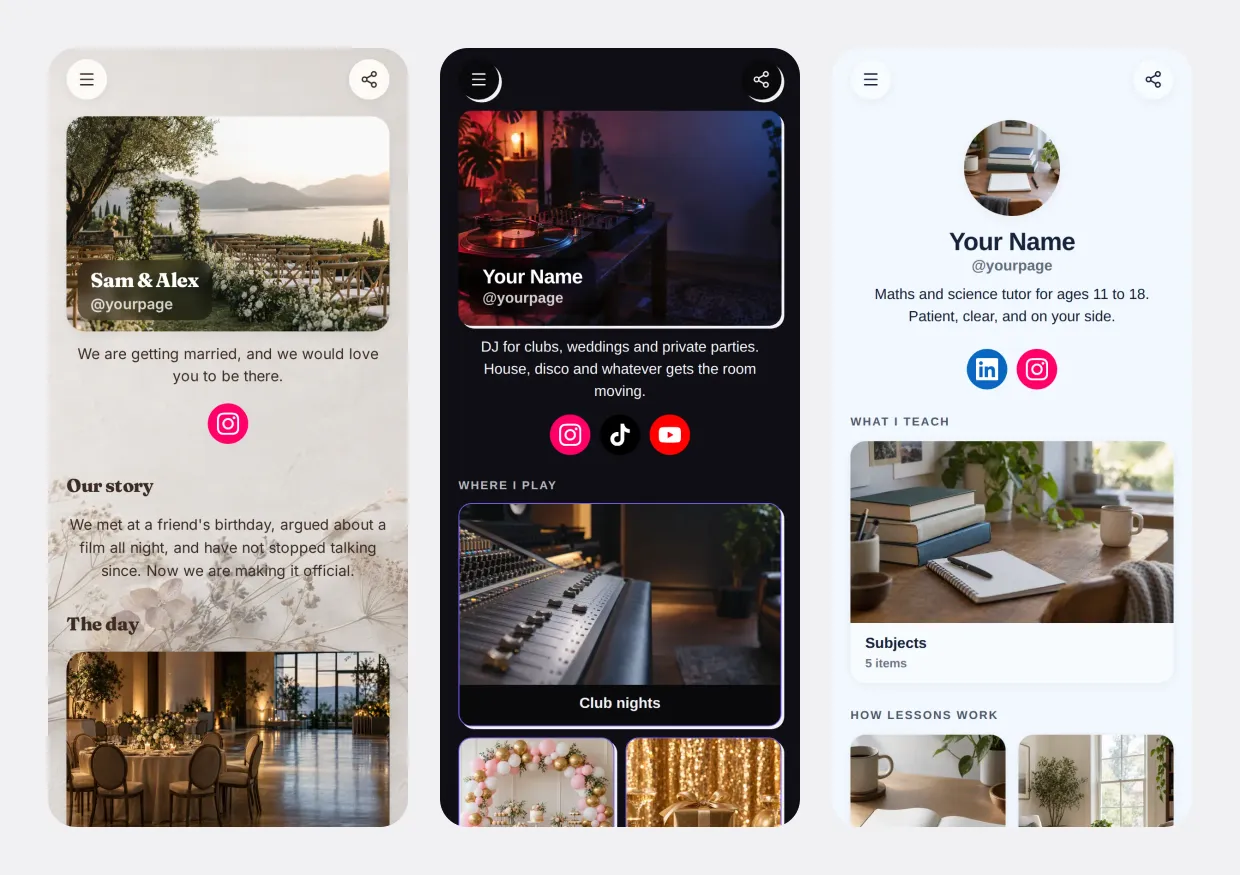
The Wedding template is for couples. It has your story, the day in order (ceremony, dinner, dancing), a map to the venue with the times, and an RSVP form.
Guests say whether they can come and tell you about any food they can’t eat. Every answer is saved in one list you can download any time, so there’s no chasing replies across three group chats. Send the page link in your invitation, or print its QR code on the card.
A DJ and performer page
The DJ & Performer template is dark and built around getting booked. It shows where you play (club nights, weddings, private parties), your latest mix, and a short note on how to book you.
If you’d rather people pick a date and pay a deposit on the page, add a booking block. Deposits go straight into your own Stripe account.
A page for tutors and teachers
The Tutor & Teacher template is for private tutors, music teachers and anyone who teaches one-to-one. It lists the subjects you teach, explains how lessons work (a first lesson to find the gaps, then weekly lessons), and mentions small revision groups.
What parents mostly want to know is when you’re free and how to start. Add online bookings and they can see your real availability, pick a slot and pay when they book. Your calendar stays in sync, so nobody gets double-booked.
New templates for local businesses
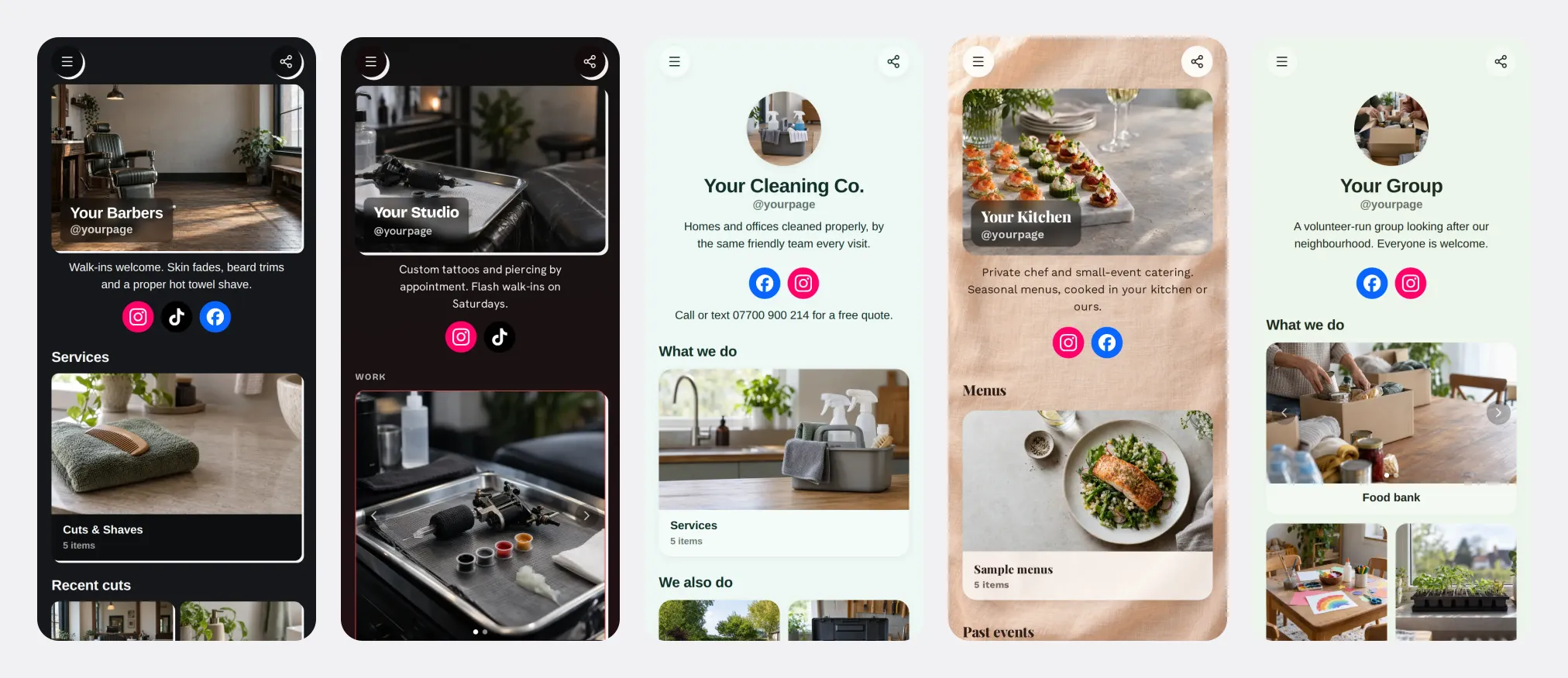
- Barber Shop. A services menu with your cuts and shaves, photos of recent work, and a map with your opening hours. Walk-ins see where you are and when you’re open, and regulars can book a slot.
- Tattoo Studio. Your custom work, flash and piercing, an aftercare note, and a consultation form that asks where on the body and what the idea is. You get a proper brief before anyone walks in.
- Cleaning Service. A call-or-text line at the top, your services, the extra jobs you take on, and the areas you cover. Everything a customer needs before they ring you for a quote.
- Caterer & Private Chef. Sample menus, photos from past events, and an enquiry form for the date, the number of guests and anything you should know. Every enquiry arrives with what you need to quote.
- Community & Nonprofit. For food banks, clubs, faith groups and residents’ associations. What you run, how to get involved and where you meet, on a map with your session times.
Every template is a starting point
Whichever template you start from, you can add to it later:
- Take bookings for sessions, lessons or rooms, with payment when someone books.
- Sell products, paid into your own Stripe account.
- Collect answers with forms: enquiries, RSVPs, feedback, sign-ups.
- Add more pages behind a menu when one page isn’t enough. See how multiple pages work.
- Change it by asking. Describe what you want in plain words and the page updates.
And everything you collect is yours. Nothing is locked in: your money goes to your own Stripe account and every record can be exported.
Already have a Keepp page?
You can use any template’s look on a page you’ve already built. In the editor, open Page style and click Choose a template. It changes the colours, font, background and card style, and your blocks and words stay exactly as they are. One press of Undo puts your old look back.
How to start
Go to keepp.link, claim your link, and open the Personal or Business tab to pick a template. The setup walks you through your photo, your intro and your socials while the page updates beside you, and you can publish in a few minutes. There’s more on how that works in start your page from a finished template.