Start Your Keepp Page From a Finished Template
New Keepp pages now start from a finished template for your kind of business or for you: a café, a plumber, a salon, a musician, a photographer and more, with real photos and example text you swap for your own while the page updates beside you.
The hardest part of building a page is the first ten minutes, when it’s just your name at the top of an empty screen and you have to decide what goes under it. So a new Keepp page no longer starts empty. You pick a page that already looks finished, then make it yours.
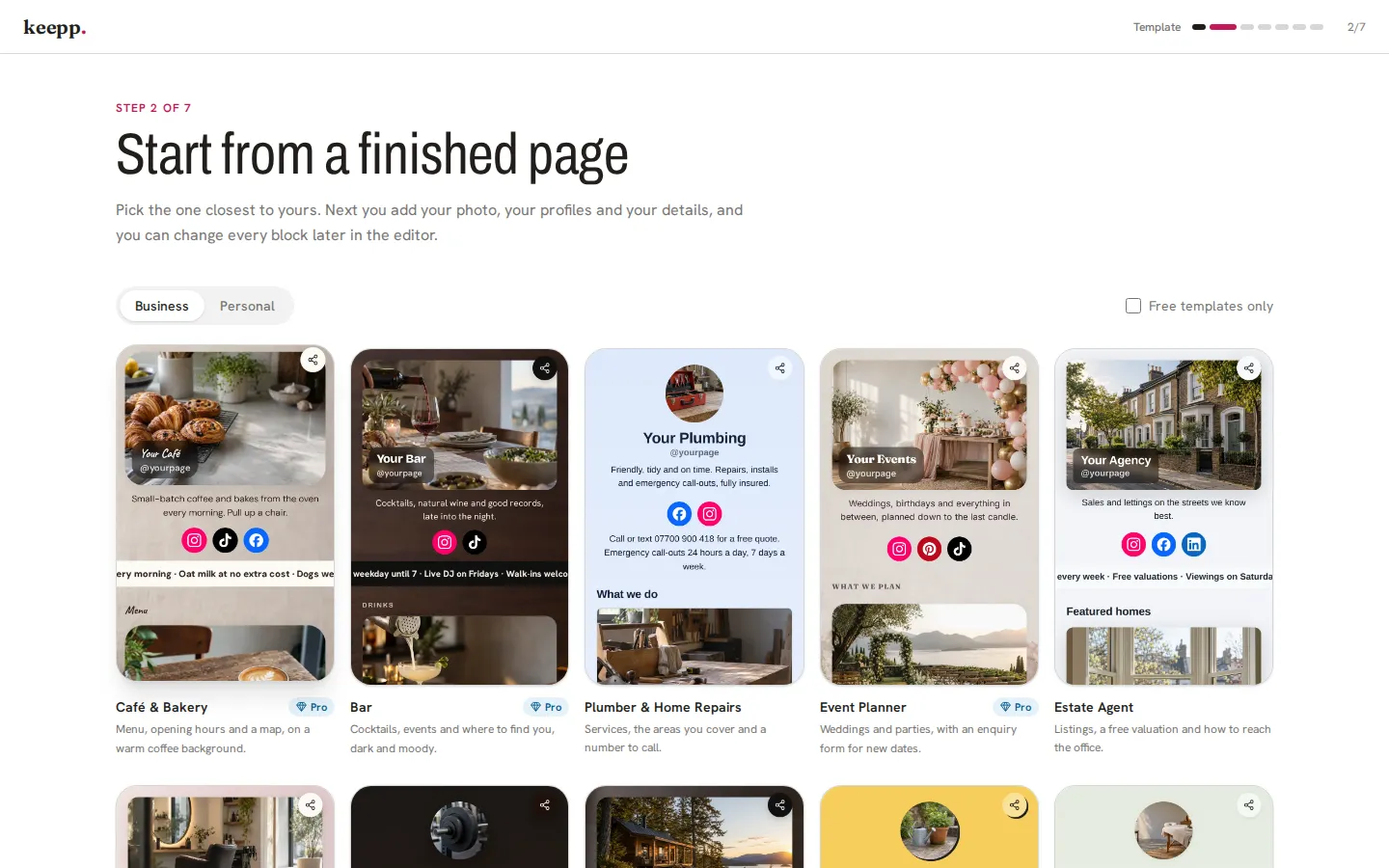
Each template is a whole page
Every one is built for a single kind of business or person. There’s a Business tab with pages for a café, a bar, a plumber, an event planner, an estate agent, a salon, a fitness studio, a holiday rental, a florist and a massage studio. The Personal tab has a personal site, a musician, a photographer, a fitness coach, a YouTuber or podcaster, a writer, an illustrator, a coach, a fashion creator and a travel creator.
They come with the blocks that trade actually needs. The café has a menu, opening hours and a map. The plumber leads with a call-or-text line, then a services menu, a “where we work” section and a few recent jobs. The photographer has a portfolio up top and a booking form at the bottom. Every photo is from the Keepp gallery, in the right shape for its card, and the example text is written for that trade, so the page reads right while you’re still filling it in.
Tap any template to scroll through the whole page before you choose it.
Making it yours takes a few minutes
After you claim your link and pick a template, a short setup walks you through the parts every page needs. Your page sits beside you the whole time, in a phone frame on a laptop or across the top of the screen on a phone, and changes as you type.
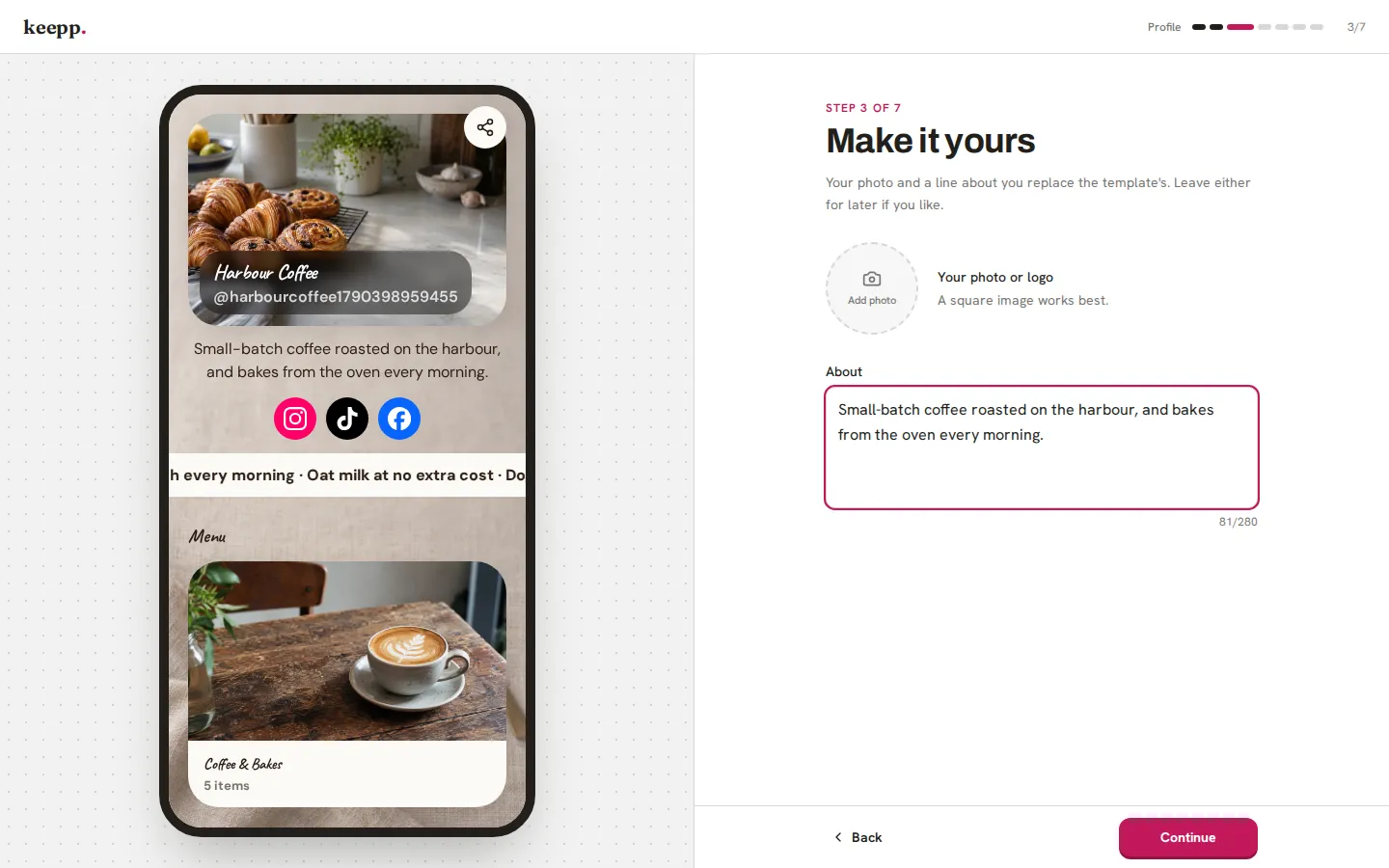
- Your photo and intro replace the template’s placeholder straight away.
- Your social profiles replace the example icons. Paste a link or just your handle. If you add none, the icons come off the page.
- One block to practice on. You edit the block that most needs your details, like the services menu on the plumber page or the map on the café, using the same panel the editor uses for every block. Once you’ve done one, you know how to do all of them.
- Tune the look. Brand color, background, then the corners, shadows and buttons of your cards, starting from the template’s own style.
Close the tab halfway through and nothing is lost. Come back and you’re on the step you left.
Before it goes live
The last step shows you which blocks are still holding the template’s example text, each with an Edit link that takes you straight to that block in the editor. Change them now, or publish and come back to them, since the rest of your page is ready either way.
From there you’re in the full editor, where every block edits the same way you just practiced, and you can ask for changes in plain words if you’d rather describe what you want.
Already have a page?
Templates work for pages that already exist too. In the editor, open Page style and click Choose a template. Picking one there changes only the look: colors, font, background and card style. Your blocks and your words stay exactly as they are, and one press of Undo puts your old look back if you change your mind.
To start a new page from a template, head to keepp.link and claim your link.