How Small Food Businesses Take Orders Online (Without Building a Website)
Bakeries, food trucks, home kitchens, jam makers, a working order page for pickup, pre-orders, and made-to-order batches, without a delivery app's commission or a full e-commerce build.
You posted the sourdough loaf on a Tuesday morning. By noon, fourteen people had asked how to order one. You spent the afternoon replying to each of them individually: pickup window, minimum order, how to pay.
That’s the reality of running a small food business with a following: the demand is real, and the order-taking system is you, personally, answering the same four questions over and over.
Why food sellers stay stuck answering the same questions
Cottage bakers, jam makers, hot sauce brands, food trucks, small-batch goods, most of these businesses build an audience before they build any ordering system. You post because you love what you make, people respond, and one day you have thousands of people asking where they can buy your stuff while you’re still taking orders one message at a time.
A full e-commerce build feels like overkill for what you’re actually running: a local operation, maybe farmers markets on weekends, maybe pickup-only. You don’t need a cart, real-time shipping rates, or inventory sync across warehouses. You need a place that answers “how do I order” once, for everyone, instead of every time. That’s the same gap a mini website closes for a lot of small businesses, food included: one page, not a full site.
Why not just use a delivery app?
Because the commission eats the margin. DoorDash, Uber Eats, and Grubhub typically take somewhere around 15-30% of every order before you’ve paid for ingredients, packaging, or your own time, and that’s before factoring in the marketing and promoted-placement fees they push separately. For a $9 loaf of bread with maybe $3 of ingredient cost, handing over $2-2.50 in commission is the difference between a business and a hobby.
Delivery apps also put a stranger between you and your customer. You don’t get their contact details, you can’t tell them about next week’s flavor, and the app decides how your listing looks and where it ranks. A page you own doesn’t take a cut of the order at all if you’re just collecting the order and handling payment yourself, and even when payment runs through Keepp’s own checkout, the fee structure is a flat percentage on your plan, not a delivery-platform commission on top of a payment fee on top of a marketing fee. See getting paid your way for how the different payment paths compare.
What this looks like on a page
Your menu becomes a set of cards: one per item, with a name, a photo, and a price. That’s the core mechanic: a menu isn’t a PDF or a photo of a chalkboard, it’s a catalog of individual cards someone can tap into, each with its own description and price, the same way a handmade seller’s page turns a body of work into individual pieces. Every item is its own link too, so every product is a shareable link you can send directly when someone asks about one specific thing instead of pointing them at your whole menu. From there you’ve got a few ways to actually take the order, depending on how you already handle payment:
- A for-sale card shows the price and opens its own page, with its button sending the buyer to wherever you already take payment: Square, Toast, a payment link you use today.
- A product block takes payment directly on the page through your own connected Stripe account, if you’d rather not send people anywhere else. Connecting Stripe is a one-time setup, and selling a product after that takes a couple of minutes per item. See the broader guide to selling products and digital downloads for how checkout behaves either way.
- A form collects a name, phone, and pickup preference for orders you want to confirm yourself before charging anyone, useful for made-to-order items or anything with variable quantities. Submissions land in your Data page, filterable and exportable to CSV, so a stack of preorders is a list you can work through instead of a scroll of messages. See collecting leads and feedback and reading your submissions.
The point isn’t to automate away the relationship. It’s to stop the “how do I order” question from needing a personal reply every single time. Choosing the right block is useful if you’re not sure which of the three fits a given item.
Pre-order windows and limited slots
Most small food operations don’t sell on demand. They sell in batches, on a schedule. A home baker might do 12 loaves every Saturday, first-come-first-served. A hot sauce brand might open orders Monday and ship Friday. A pop-up might take orders for Sunday brunch until Thursday night and then stop.
There’s no separate “pre-order” feature you need for this. It’s how you write the card. Put the pickup or ship date in the item name or description (“Saturday, Aug 8: pickup only”), and treat the order window as open until you manually mark the item unavailable or swap the date for the next one. If you want a hard cutoff instead of a manual one, scheduling a block lets you set a window a card is visible in, so an item can go live Monday morning and disappear Thursday at midnight without you having to remember to pull it down.
For quantity-limited batches (twelve loaves, not infinite loaves) the honest tool is a form instead of instant checkout. Collect the order, confirm manually against how many are left, and charge once you know you can fulfill it. It’s slightly more manual than a real-time inventory count, but for a batch size in the dozens, a list you’re checking against by eye is faster to set up than it sounds and a lot less likely to break than a counter that needs to sync in real time.
Handling sold-out items
The other side of limited batches is what happens when something runs out mid-week. The direct fix is to edit the card (change the price display, add “SOLD OUT” to the name, or unpublish it) the moment you’re out, rather than leaving a stale listing up that generates orders you can’t fill. If you’re managing several items across a busy prep day, the AI agent interface means you can update the page by asking an assistant, “mark the cinnamon rolls sold out”, without opening the editor mid-shift. Managing your Keepp page with AI covers what that looks like in practice.
If you routinely sell out of the same two or three items, it’s worth putting the reliably-in-stock items higher on the page and the frequently-sold-out ones lower, so the first thing a hungry visitor sees is something they can actually still get. Once a menu grows past a handful of items (a full bakery case, a food truck with a real menu board) structuring a long page covers grouping and ordering so the page doesn’t turn into an endless scroll.
Pickup windows, hours, and where you are
Food orders come with logistics that never fit neatly into a product card: pickup windows, your kitchen or stall location, which days you’re open. A map block puts your address and hours right on the page, so that information has one home instead of living in a bio that hasn’t been updated since you changed your schedule. Adding a map is the mechanical setup (an address, optional place name, and open hours as free text) and showing your location and hours covers why that block matters for anyone people need to physically find.
Food truck versus home kitchen: two genuinely different setups
These two look similar from the outside (both are small, both are food, both take orders online) but the page each one needs is different, because the underlying logistics are different.
A food truck or pop-up has irregular hours and irregular locations. You might be at the brewery Thursday, the farmers market Saturday, and off entirely on a rainy Tuesday. The map block’s hours field is free text for exactly this reason: instead of a fixed weekly schedule, write what’s actually true this week: “Thu: Riverside Brewery, 5-9pm. Sat: Elm St Market, 10am-2pm.” Update it before each week starts, the same way you’d update a story highlight, except this version doesn’t expire and doesn’t require someone to already be following you to see it. Since the address changes, re-checking the map block before each move matters more than it does for a business with one fixed address.
A home baker or small kitchen has a fixed location but limited slots. The address doesn’t move, what moves is capacity. The page’s job here is less about “where am I today” and more about “how many can I make and when do I stop taking orders.” That’s the pre-order-window and form-based confirmation pattern described above: a fixed pickup address on the map block, paired with a form or scheduled card that opens and closes around your actual production capacity.
Treating these as the same problem is where a lot of generic advice falls apart. A food truck that tries to run a fixed weekly hours listing looks wrong the day it’s somewhere else. A home baker who tries to sell on-demand with no cap on quantity ends up promising more loaves than the oven can produce in a weekend.
The seasonal spike problem
Valentine’s Day. Mother’s Day. Holiday boxes. Every food seller has a few weeks a year when demand spikes hard and the usual reply-to-everyone approach breaks completely.
For a drop, you don’t need new infrastructure, the same page holds up. Update the relevant cards with the current batch, use a scheduled block if the drop has a hard start and end time, share the link when the drop goes live, and let people order or leave their pickup details on their own time instead of all landing in your inbox at once.
FAQ
Do I need a delivery-app account at all if I have a page? No, if your customers are picking up. Delivery apps exist to solve the courier problem, someone driving food from you to them. If your model is pickup, pre-order, or a stall people walk up to, a page with a map block and a checkout or form covers the whole flow without a courier or a commission.
What if I take payment on delivery instead of online? That’s what the form-based flow is for: collect the order and pickup details, don’t run a checkout at all, and settle payment however you already do (cash, Venmo, card reader on pickup). The order still gets tracked in one place instead of a chat thread.
Can I run a subscription, like a weekly bread box? Recurring billing is coming soon. Today, set it up as a standing item people re-order each week through the same card, or a form they fill out once with their standing preference, and confirm manually.
How do I handle allergens or special requests? Put them in the card description for standard items. For anything that needs a per-order answer (“nut-free please,” “extra spicy”) a form field on the order form is the right place, since it’s captured with the order instead of arriving as a separate message afterward.
Where to start
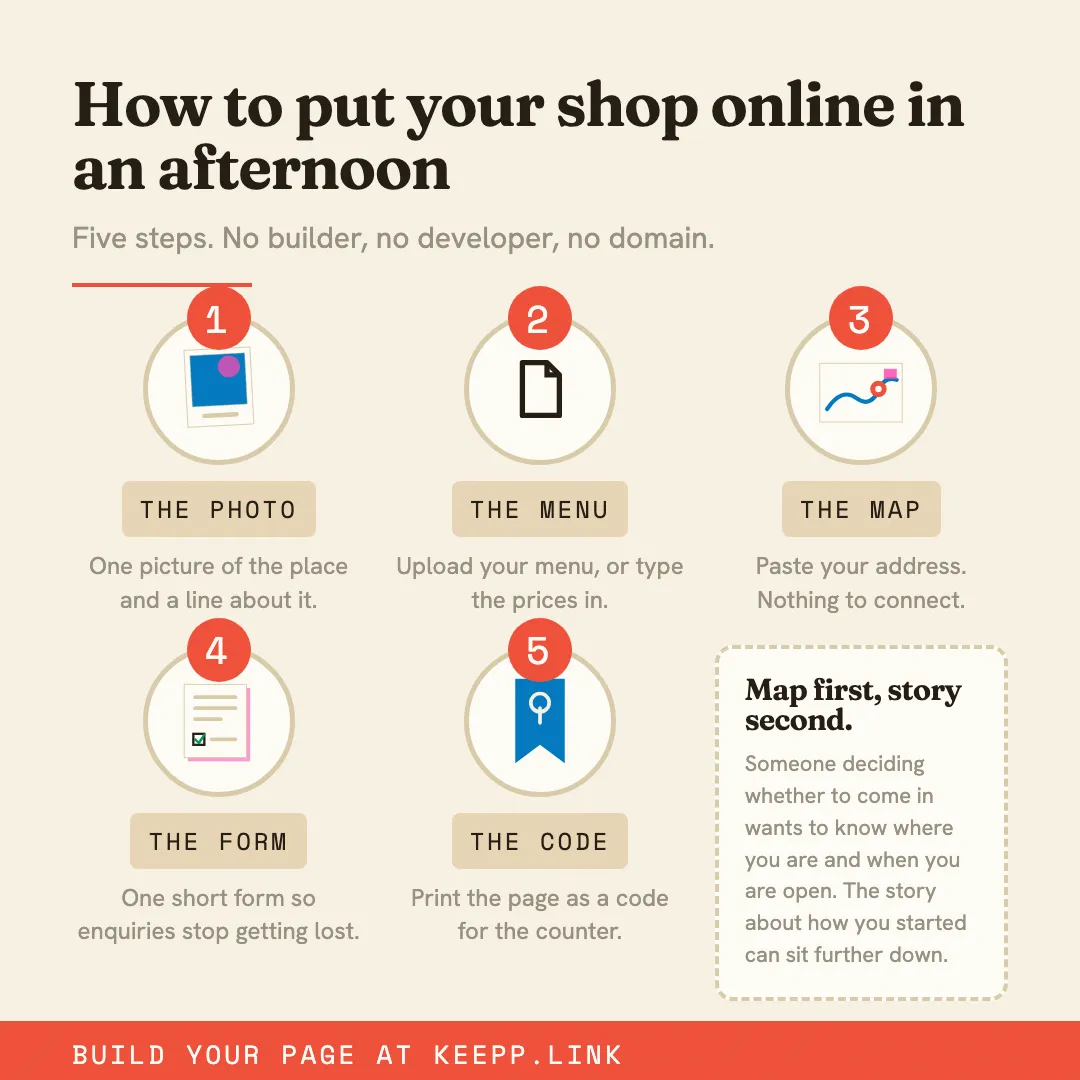
Add your three or four most popular items as cards, decide how each one takes payment, add a map block with your pickup details, and add a form if you take custom or made-to-order requests. That’s a working setup, no cart, no shipping calculator, no delivery-app commission, no monthly e-commerce fee to configure. Claiming your page and setting up your profile are the first two steps if you’re starting from nothing, and the start selling path walks through the rest in order.
Start with your best sellers. Your keepp.link page is free to set up and live in minutes.