Mailchimp Appointment Booking: Why It's Gone, and What to Use Instead
Mailchimp discontinued its native Appointment Scheduling feature in February 2024, calling it underused, and now points users to third-party tools. Here's what replaces it, booking, payment, and lead capture on one page.
If you’re searching for Mailchimp appointment booking and can’t find where it lives in your account anymore, that’s not you missing a menu: Mailchimp discontinued its native Appointment Scheduling feature effective February 29, 2024. Mailchimp’s own stated reason was that it had “been an underused feature across our customer base.” Anyone who’d built a workflow around it needed a replacement, and Mailchimp’s own guidance since has pointed toward connecting a third-party scheduling tool instead.
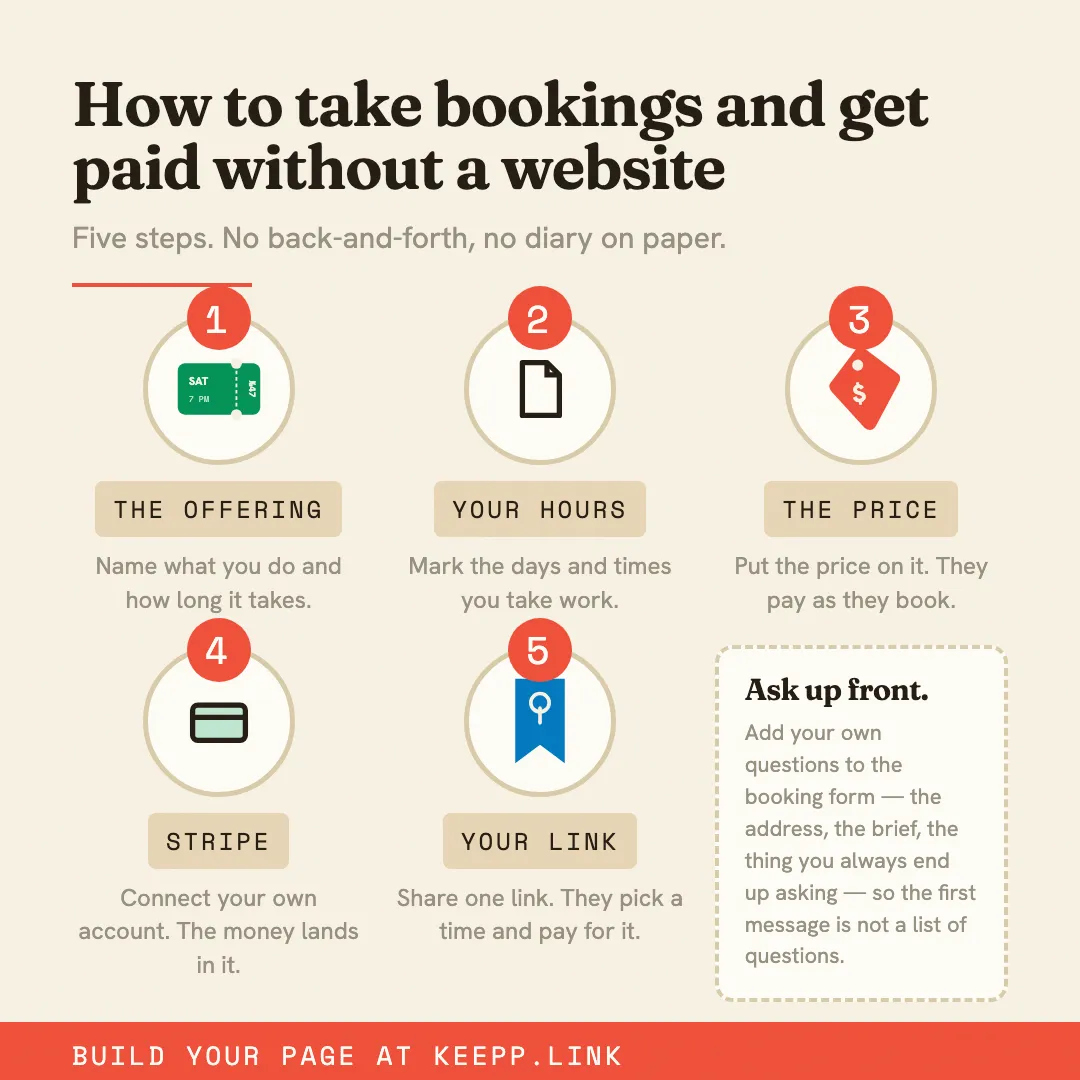
This post covers what that replacement actually needs to do, and how a Keepp page handles the same job: booking, payment, and capturing the people who aren’t ready to book yet.
What Mailchimp Appointments used to do
For anyone who never used it: Mailchimp’s Appointment Scheduling let you set availability and let contacts book a slot with you directly from a Mailchimp-hosted page, tied into the same account as your email marketing. The appeal was having scheduling and your contact list in one place: book a call, and the person booking was already part of your Mailchimp audience.
That specific integration is what’s actually gone. Scheduling itself hasn’t disappeared as a need; it’s just no longer bundled with your email tool.
What replaces it
Since the discontinuation, Mailchimp’s own suggestion has been to connect a separate scheduling tool, options like Reserva or MakePlans, alongside your existing Mailchimp account. That works, but it re-introduces the thing the bundled feature was solving: your booking tool and your audience tool are two different systems again, and keeping them in sync is manual.
A booking block on a Keepp page takes a different approach to the same underlying need. Real availability, calendar sync so you can’t be double-booked, and, when payment is required, the booking and the charge happen as one action through your own connected Stripe account, not a separate invoice or payment link. Taking bookings and appointments online covers the full mechanics.
The part Mailchimp Appointments got right: booking and your list, together
The genuinely useful part of the old Mailchimp setup was that a booking wasn’t disconnected from your audience, the person who booked was someone you could actually reach again. Keepp’s version of that isn’t email marketing (Keepp doesn’t send campaigns, and never emails your audience on your behalf), but the record-keeping half is there: every booking is captured with the customer’s name and email, visible and exportable to CSV from your own dashboard whenever you want it: including into Mailchimp itself, if that’s still where your email sending lives. You’re not choosing between a booking tool and a contact list; the booking is the contact record.
Capturing people who aren’t ready to book yet
A calendar link only ever captures the people who book. Everyone who looks and doesn’t (not yet ready, comparing options, wants more information first) leaves without a trace. A form block sitting next to your booking offering catches that group: a name, an email, and whatever single question actually matters, with every submission landing in one place you can filter and export. If email marketing is still part of how you follow up, that export is exactly the list a Mailchimp campaign would send to.
Setting it up
- Claim your page and set up your profile.
- Create a booking offering: free consultation, paid session, or whatever your actual appointment type is.
- If payment applies, connect Stripe, booking and payment become one step from there.
- Add a form block next to it for visitors who aren’t ready to book, so they’re captured as a lead instead of disappearing.
- Connect Google Calendar so nothing can double-book.
That’s the full replacement for what a Mailchimp-appointment-plus-contact-list setup used to do, minus the dependency on a feature that no longer exists.
Where to start
If you’re one of the accounts still looking for the old booking link that isn’t there anymore, the fastest path forward is a page that does booking, payment, and lead capture together rather than reassembling three separate tools. Start with claiming your page and setting up a booking offering.
Set up your first booking at keepp.link: free to start, no card required.