8 Growth Hacks for Your Link-in-Bio Page
Practical growth hacks for a link-in-bio page: a timed email pop-up, a flyer for your next sale, short links you can say out loud, QR codes, and analytics that show which block earns its place. Every one works on Keepp today.
The fastest way to grow from a link-in-bio page is to get more out of the visitors you already have. Catch the ones who would leave without a trace, send people straight to the thing you mentioned, and drop whatever nobody taps. Here are eight ways to do that on a Keepp page, whether your audience finds you on Instagram, TikTok, YouTube, Pinterest or X.
1. Pop up an email sign-up after 20 seconds
Most visitors leave without buying, and you can’t reach them again. A Spotlight set to Subscribe fixes that: it pops up a small sign-up window after a visitor has spent 20 seconds on your page, and every email lands in Forms and leads under Subscribers.
Twenty seconds filters out the people who bounce. The ones still reading are the ones worth asking.
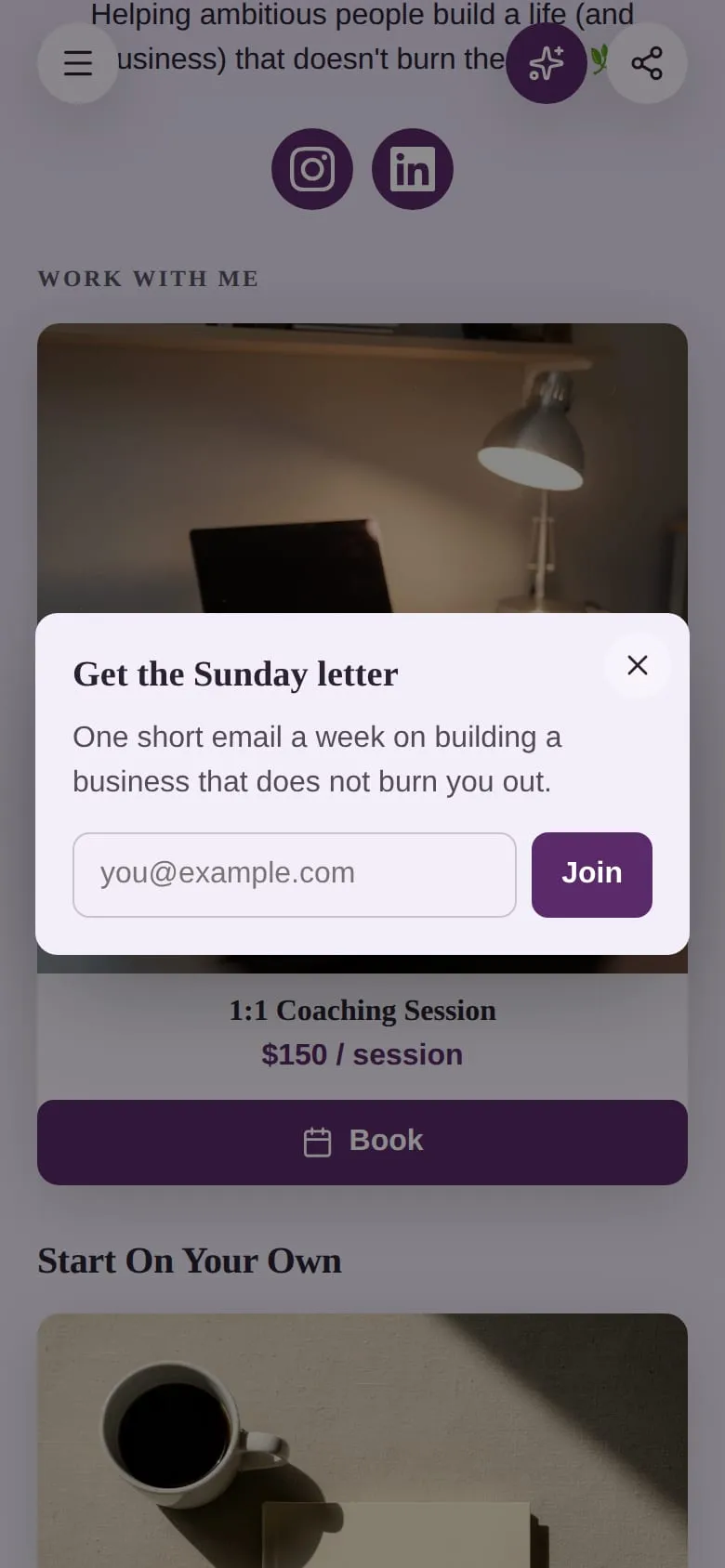
Full setup: how to add an email pop-up to your link-in-bio page.
2. Catch leavers with exit intent
Turn on When a visitor goes to leave, and the Spotlight pops up as a desktop visitor’s pointer heads for the browser tabs. It’s the last moment you can ask, so ask for the smallest thing: an email, or a look at today’s offer.
It pops up once per visit at most, never as the page opens, and never again after someone signs up. Which pop-up trigger to use covers how to combine it with the others.
3. Put your sale flyer in front of everyone
You already design a graphic for every sale, workshop or launch. Use it on your page too: set the Spotlight to Image, upload the flyer, and add the link. The flyer pops up whole, never cropped, and a tap opens the link.
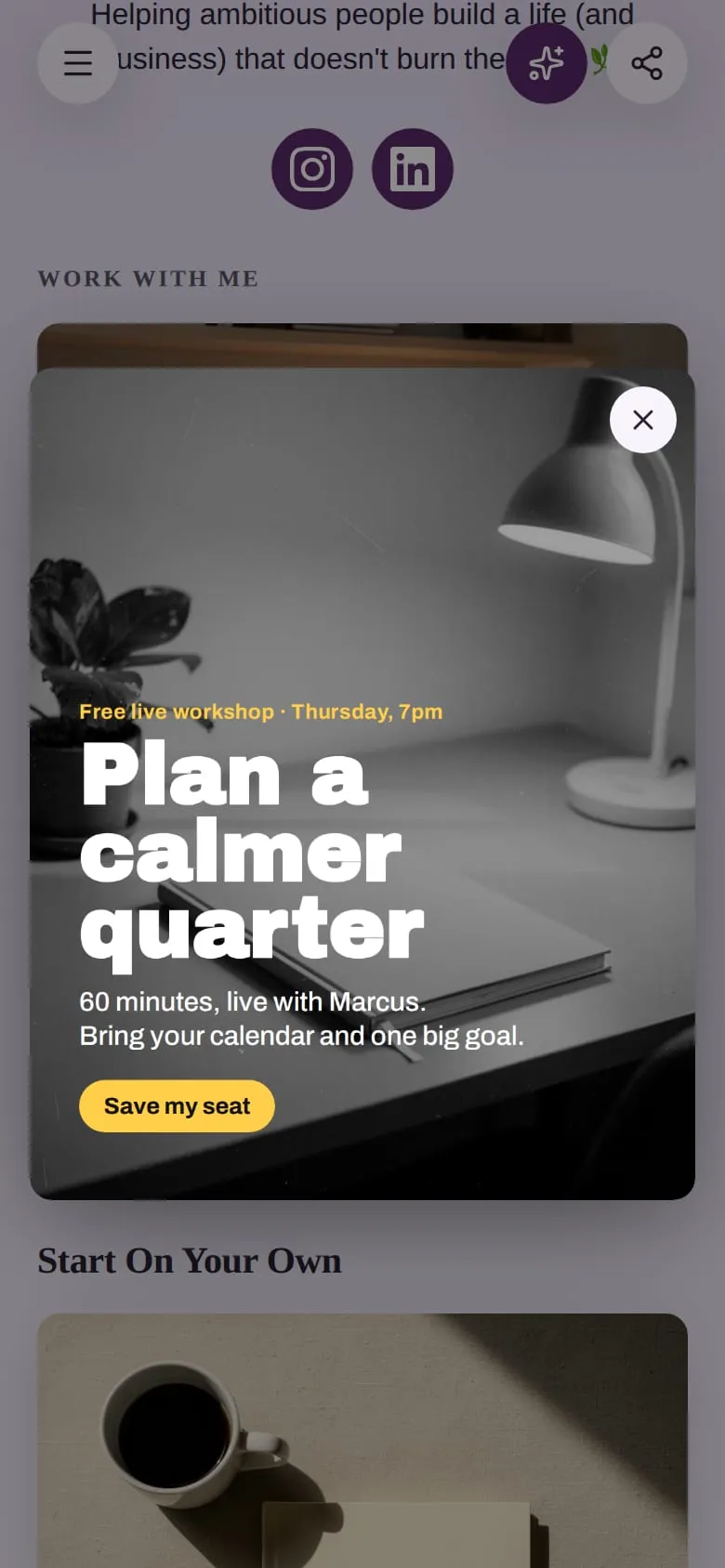
Schedule the block to show only for the weekend of the sale, and it disappears by itself when the sale ends. See schedule a block.
4. Point the pop-up at your best seller
A Spotlight can open a product or a booking directly. Set it to Product, pick the product block, and the button opens that product with its checkout. Set it to Booking for your next open session. A visitor who has scrolled halfway through your page is already interested; this saves them hunting for the buy button.
5. Use short links you can say out loud
“Link in bio” makes people search. keepp.link/yourname/course sends them straight to the course. Custom links open one product, booking, form or your chat, they’re easy to say in a video or a podcast, and you can repoint them later without changing what you’ve already posted. Analytics counts the visits each one brings. See custom short links for your page.
6. Put a QR code wherever people stand still
Market stalls, shop counters, event badges, the last slide of a talk. A Keepp QR code can open your page or any single block, carry your logo and colors, and be repointed after it’s printed. Analytics shows how many scans each code gets. See dynamic QR codes.
7. Share the product, not the page
Every product, booking, form and article on your page has its own link with its own preview image and title. When a post is about one product, link that product. The visitor lands on the thing they came for, one tap from paying. See every product is a shareable link.
8. Cut what nobody taps
Open Analytics once a week. Most clicked blocks shows what earns its place, Blocks nobody clicked shows what to cut or move down, and Where people drop out shows which step of a checkout, booking or form loses people. The Spotlight panel shows how many visitors took up your pop-up, and which trigger did best.
A shorter page with the right three things near the top usually beats a long one.
Where to start
If you do one thing this week, add the email sign-up. It’s the only item on this list that keeps paying off after the visitor has gone. Then pick the trigger that fits your page, and check the Spotlight panel after a week.
Questions
What is a growth hack for a link-in-bio page? A small change to your page or how you share it that gets more sign-ups, sales or bookings from the same visitors: a timed pop-up, a direct product link, a QR code at your stall.
Do I need a website to use pop-ups? Not with Keepp. The pop-up is a block on your Keepp page, so there’s nothing to install. See the Sumo alternative post for how it compares with a pop-up tool.
How do I know which hack is working? Your page’s Analytics shows visits, clicks per block, traffic sources, custom link visits, QR scans and the Spotlight panel, all in one place.
Which plan includes the Spotlight? The Spotlight is part of the Influencer plan. Custom links, QR codes and Analytics are on Pro and up.