How to Add an Email Pop-Up to Your Link-in-Bio Page
Add an email sign-up pop-up to your link-in-bio page so social visitors join your list before they leave. No mailing-list plugin and no embed code: a Keepp Spotlight sends every sign-up to Forms and leads.
To add an email pop-up to your link-in-bio page on Keepp, add a Spotlight block and set it to Subscribe. It shows a sign-up card on your page and pops up a small sign-up window after 20 seconds, or as a visitor goes to leave, and every email lands in your Forms and leads list under Subscribers.
That’s the whole setup. You don’t need a pop-up plugin, a mailing-list embed code, or a separate landing page.
Why a link-in-bio page needs an email sign-up
Most visitors to a link-in-bio page come from a post. They tap through, look for the thing the post mentioned, and go back to the feed. If they don’t buy or book on that visit, you have no way to reach them again except to hope the next post finds them.
An email address changes that. It’s a channel you own: no algorithm decides who sees your next message, and it moves with you if you change platforms. A sign-up on your page turns a passing visit into someone you can write to on launch day.
What the sign-up looks like
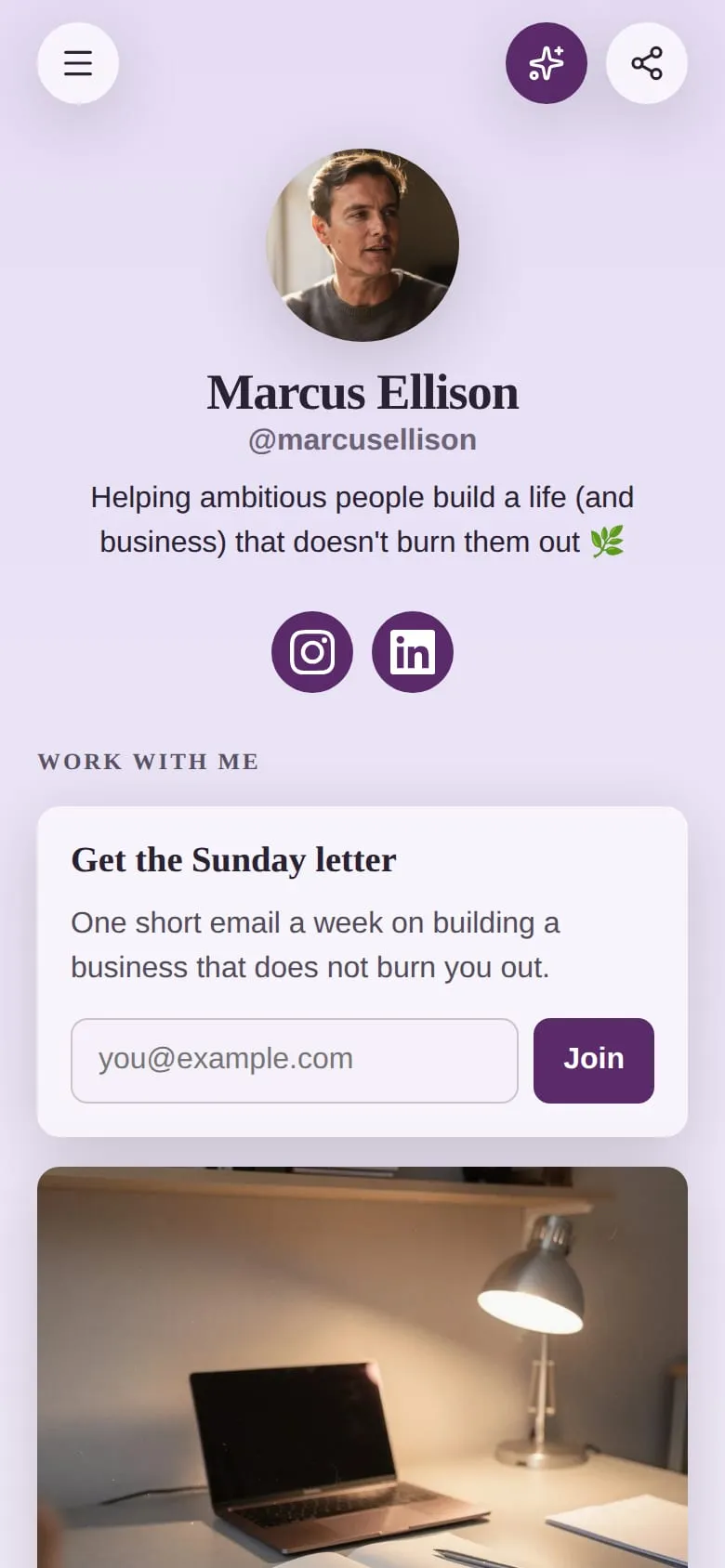
The Spotlight sits on your page as a card, with your heading, a line of text, an email field and a button, all styled to match your page.
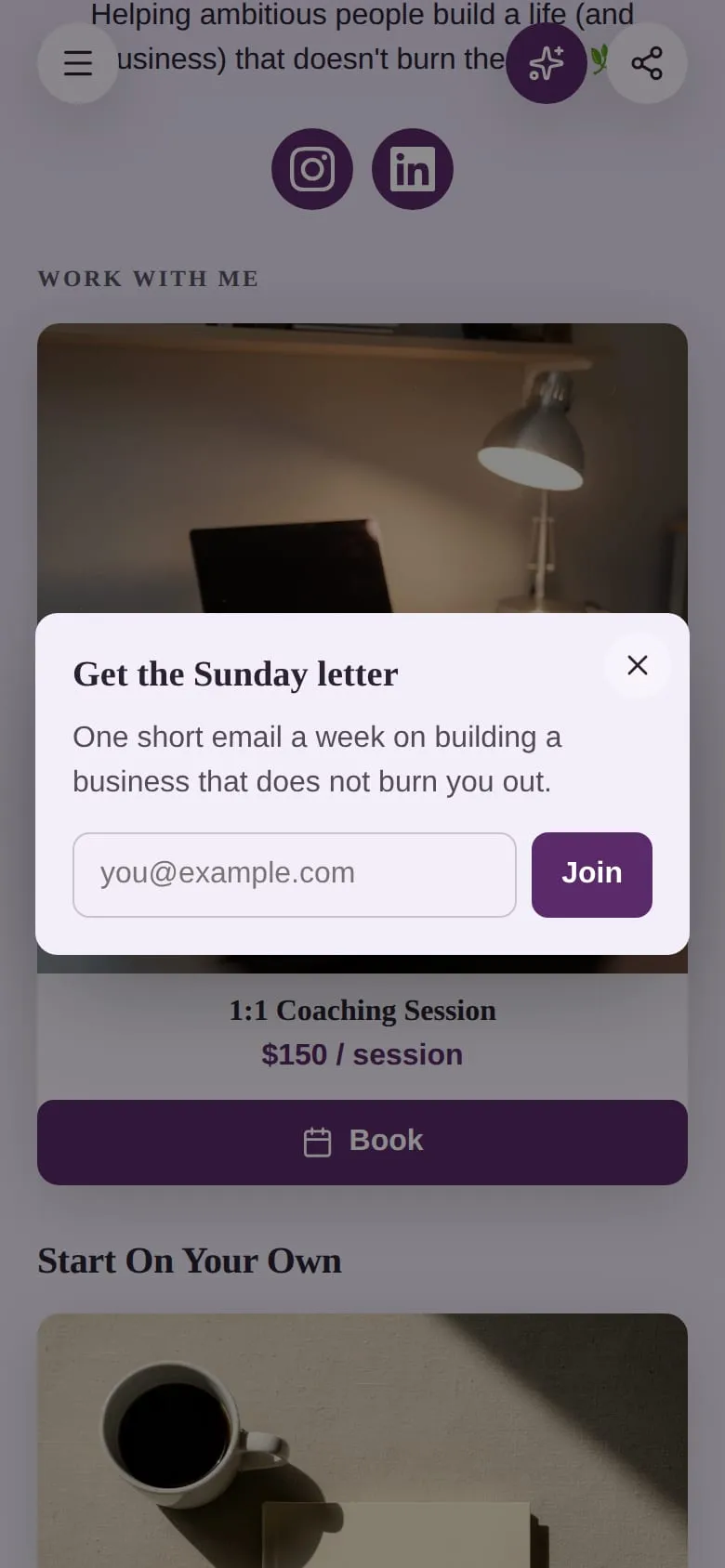
The same sign-up can pop up in a small window in the middle of the screen. It takes up no more than half the screen, and a tap outside it closes it.
How to set it up
- In the editor, go to Add, and under Collect data tap Spotlight.
- Write a heading and one line that says what people get. “Get the Sunday letter: one short email a week” works better than “Subscribe to my newsletter”.
- Leave What visitors can do on Subscribe, and set the button wording if you like, for example Join or Send it to me.
- In Settings, choose where it shows: as a card on your page, as a button beside Share, or both.
- Choose when it pops up: after 20 seconds, halfway down the page, when a visitor goes to leave, or any mix.
- Publish.
The full walkthrough is in add a Spotlight to your page.
When it pops up, and when it doesn’t
An email pop-up earns its place by showing up at the right moment, once. The Spotlight follows these rules:
- It never pops up as the page opens. A visitor who just arrived gets to see your page first.
- It pops up by itself once per visit at most. After it has shown once, every trigger is off.
- It never comes back after a sign-up. Someone who joined from the card won’t be asked again in a pop-up.
- It never covers another page. If a visitor is in a product’s checkout or your chat, it waits.
The three triggers suit different pages:
- After 20 seconds catches visitors who are reading, which is a good sign they like what they see.
- Halfway down the page suits long pages: someone who has scrolled that far is interested.
- When a visitor goes to leave catches desktop visitors as the pointer heads for the tabs, the last moment you can ask.
There’s more on picking between them in exit-intent, scroll and timed pop-ups.
Where the emails go
Every sign-up goes into Forms and leads, filed under Subscribers, next to your form replies. Each one has the email and the date. You can tag a subscriber, add a note, search the list and filter it by tag.
Your page’s Analytics gets a Spotlight panel: how many visitors saw the sign-up, how many joined, how many closed it, and which trigger worked best.
What to offer in exchange
People give an email when they can see what they’ll get. A few that work well on a creator or small-business page:
- A regular letter with a clear rhythm: “one email every Sunday”, “one email a month”.
- First access: new drops, restocks or booking slots go to the list a day before anyone else.
- A freebie: a guide, a checklist or a preset. See give away free content and grow your email list for that route.
- Event reminders: “Tell me when the next workshop opens.”
Questions
Do I need Mailchimp or another email tool to collect emails? No. The emails are collected and stored in Keepp, in Forms and leads.
Will a pop-up annoy my visitors? A pop-up that opens on arrival and keeps coming back does. The Spotlight waits for a reason, shows once, and stops after a sign-up.
Can the pop-up show a sale or an event instead of a sign-up? Yes. A Spotlight can also open a product or a booking, follow a link, or show a flyer you designed. See growth hacks for your link-in-bio page.
Which plan includes it? The Spotlight is part of the Influencer plan.