A Creator Website With a Page for Everything You Offer
Turn your link in bio into a creator website: every product, booking, sign-up and video gets its own page and its own link, ready to drop into a post on Instagram, YouTube, TikTok, Pinterest or X.
A creator’s week rarely has one thing to promote. There’s a new release, a preset pack, a few coaching slots, a newsletter and a video you’re proud of. Every platform gives you one link for all of it, so most creators end up with a long list that people scroll past.
On Keepp, your link in bio works as a small creator website instead. Everything on it that people can open, whether it’s a product, a booking, a sign-up form or a video, becomes a page of its own, with its own link and a menu to move between them.
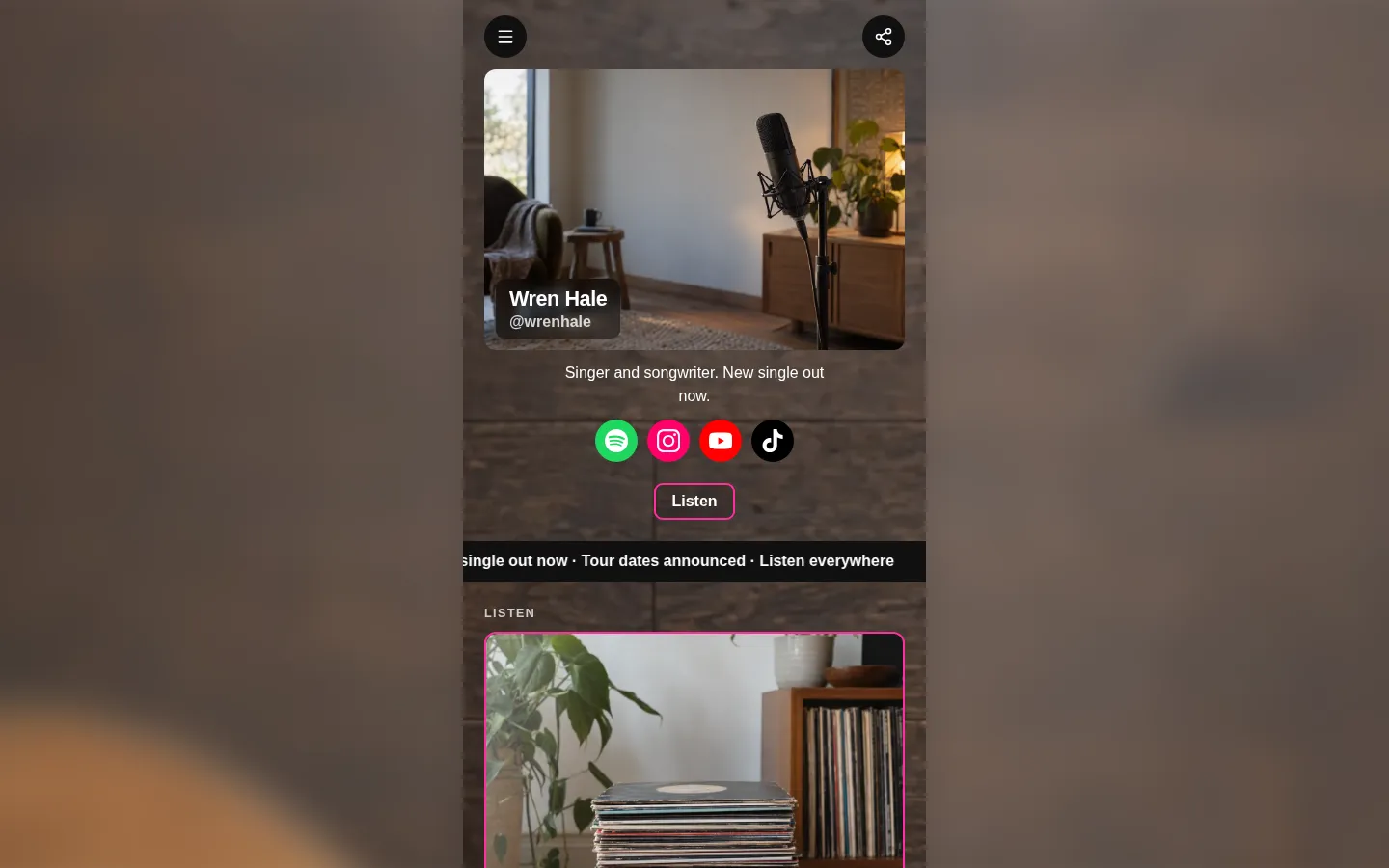
Your link in bio, working like a website
When someone taps a card or a product on your page, it opens full screen as its own page, with your name and photo at the top. A menu button in the corner lists everything on your page, in the order you arranged it, so a fan can move from your latest release to your merch without hunting.
There are no pages to design. Each one is built from the block you already made, in your page’s own colours and fonts, and the menu updates itself every time you publish.
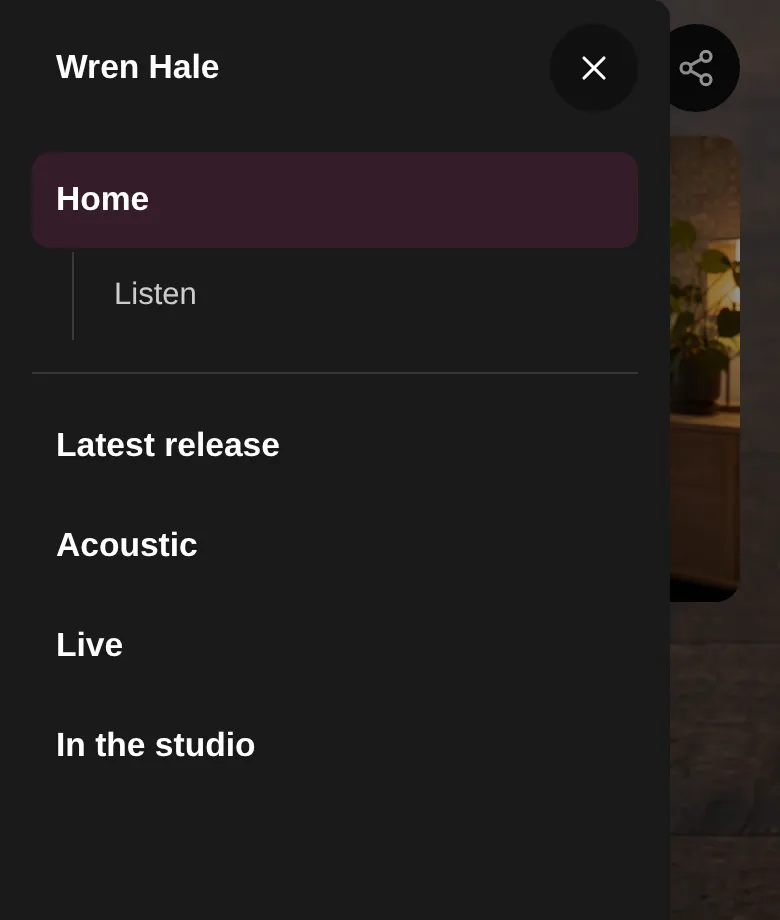
Link every post to the one thing it’s about
Each page has its own short link, like keepp.link/yourname/a1b2c3d4. Tap Share on it to send the link from your phone, or copy it and get a QR code on a laptop. So a video about your preset pack can link straight to the preset pack, while your bio link stays the same for everyone else.
That works the same wherever your audience is:
- A YouTube description or pinned comment pointing at the exact course or product in the video.
- An Instagram Story or TikTok caption that opens straight onto this month’s coaching slots.
- A Pinterest pin for one printable, linking to its own checkout page.
- A post on X announcing a drop, linking to the drop itself.
When the link lands in a chat or a feed, the preview shows that page’s own title and photo. Shareable links and QR codes for every block has the details, including a QR code for your merch table.
Sell, book and grow your list from the same site
Every page does its job right there, so nobody has to leave to buy or book:
- Products take payment on their own page, and the money goes straight into your own Stripe account. For a digital product, the buyer gets your private link to the file, video or course as soon as the order is confirmed. See how to sell PDFs online.
- Bookings let fans pick a time for a call, a lesson or a session, with a Zoom or Google Meet link created for every booking.
- Forms collect newsletter sign-ups, waitlists and brand enquiries.
- YouTube videos play on their own page, so fans can watch without leaving your site.
- Recommendation cards carry your affiliate links and promo codes, with the code one tap away.
It looks finished on every screen
Your pages are made for phones, where your audience will open them from an app. On a laptop, your page sits as a column in the middle of the screen with your background softly blurred around it, so a brand looking you up on a desktop sees a proper site.
Start from a creator template
Claim your page and pick a template made for creators, like the musician, photographer, coach, writer or artist. Each one comes with the blocks that kind of creator usually needs, and you swap in your own words and photos. Add your products and bookings, publish, and each one gets its page and its place in the menu. If you’d rather describe what you want, you can edit your page by asking in plain words.
Common questions
Is this a link in bio or a website? Both. It’s the single link you put in every bio, and it opens a site with a page for each thing you offer.
Can fans buy without leaving my page? Yes. Checkout happens on the product’s own page, and the money goes to your Stripe account.
Do I have to set up the menu? No. It lists everything on your page that opens, and keeps up as you add and reorder things.
Can I link to one product from a video? Yes. Every product, booking, form and video has its own link to paste anywhere.
Claim your page at keepp.link and pick a creator template to start.