Calendly vs Cal.com vs TidyCal vs TinyCal vs Keepp
Calendly vs Cal.com vs TidyCal vs TinyCal vs Keepp for solo businesses: price, calendar sync, payments, questions and the page people book on.
A scheduling tool turns “when are you free?” into a link. Calendly, Cal.com, TidyCal and TinyCal all do that. Keepp does it too, as one part of a page that also holds your links, a shop, forms and chat. This post compares the five on the things that decide whether a solo coach, consultant, stylist or small business can run on one: price, calendar sync, payments, questions and what the visitor sees.
Keepp is one of the five, and we make it. Every price below comes from each tool’s own pricing page, checked on 5 October 2026.
The five side by side
| Free plan | Paid from | Payments at booking | Calendars it syncs | |
|---|---|---|---|---|
| Calendly | 1 event type, 1 calendar connection, no payments | $10 per seat a month (Standard) | Stripe and PayPal, on Standard | 1 on Free, several on paid plans |
| Cal.com | 1 user, unlimited event types and calendars | $12 per user a month (Teams, billed yearly) | Stripe and PayPal, on Free | Unlimited calendars |
| TidyCal | Free forever, 1 calendar connection | $29 once (lifetime deal) or $12 a month | Stripe, with a 1% fee on Free and the lifetime plans | Google, Office 365 and Apple |
| TinyCal | Free, up to 3 services | $7 a month (Light) | Stripe | Google and Outlook |
| Keepp | Free, with selling and bookings included | $9.99 a month (Pro) | Stripe, in the same step as the booking | Google Calendar |
All five let a visitor pick a time, all five put the booking on your calendar, and all five can ask questions before the booking is confirmed. The differences are in the rows below.
Price, in plain numbers
Calendly has a free plan with one event type and one calendar connection. Payments, reminders and automations arrive on Standard at $10 per seat a month. Teams, at $16 per seat a month, adds round-robin scheduling and removing Calendly’s branding.
Cal.com is open source and has a free plan for one user with unlimited event types and calendars, email and SMS notifications, and Stripe and PayPal payments. Cal.com branding stays on the free plan. Teams is $12 per user a month, billed yearly, and adds round-robin scheduling and branding removal.
TidyCal sells a $29 one-time lifetime deal through AppSumo, and a free plan, and a Pro plan at $12 a month or $99 a year. Payments through Stripe carry a 1% platform fee on Free and the lifetime plans, and none on Pro.
TinyCal has a free plan limited to three services and a Light plan at $7 a month with unlimited services and meetings. It is aimed at coaches, consultants and solo experts.
Keepp has a free plan that includes selling and bookings. Keepp’s commission on sales and paid bookings is 5% on Free, 3% on Pro ($9.99 a month) and 0% on Influencer ($24.99 a month), plus Stripe’s own processing fee. Pro adds forms and a custom domain, and live chat is on Influencer.
Calendar sync and availability
This is the part that stops double bookings, so check it before the rest.
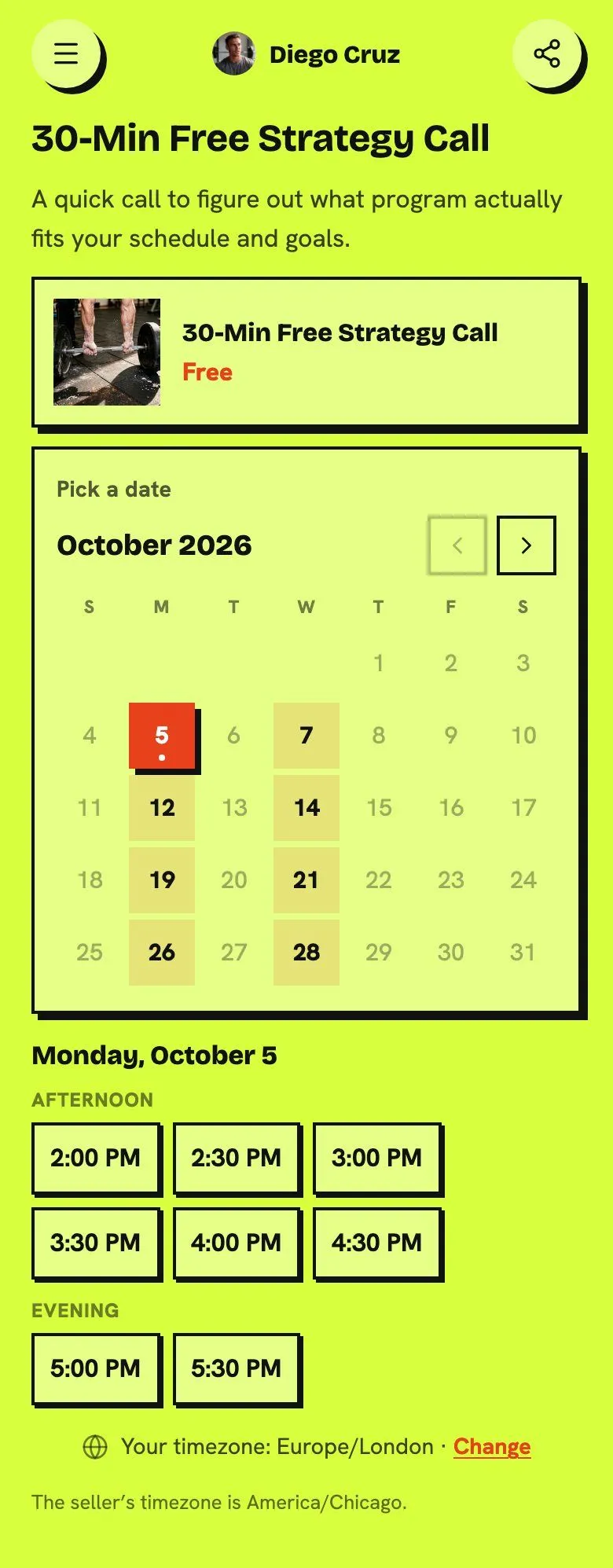
In Keepp, you connect Google Calendar once. Anything on it takes that time off your page, and each booking is written back. The availability is read again every time someone opens the calendar, so a meeting you added last night blocks a slot someone tries to book this morning. Buffer time, a minimum notice, blackout dates and a limit on how far ahead people can book keep the open times open. How online bookings actually work covers it step by step.
Calendly, Cal.com, TidyCal and TinyCal each sync with Google Calendar as well, and between them they cover Outlook and Apple calendars too. If you keep your appointments on one of those, check that it is on the plan you are looking at. TidyCal’s free plan, for example, connects one calendar.
By the hour, or by the night
Most scheduling tools assume an appointment: a start time and a length. Keepp has two shapes. A time-based booking shows a month view, and the open times for the day you tap appear under it, split into morning, afternoon and evening. A day-based booking lets the visitor tap a check-in and a check-out date, with a minimum stay and a price per night, which is how a cabin, a rental or a retreat is booked.
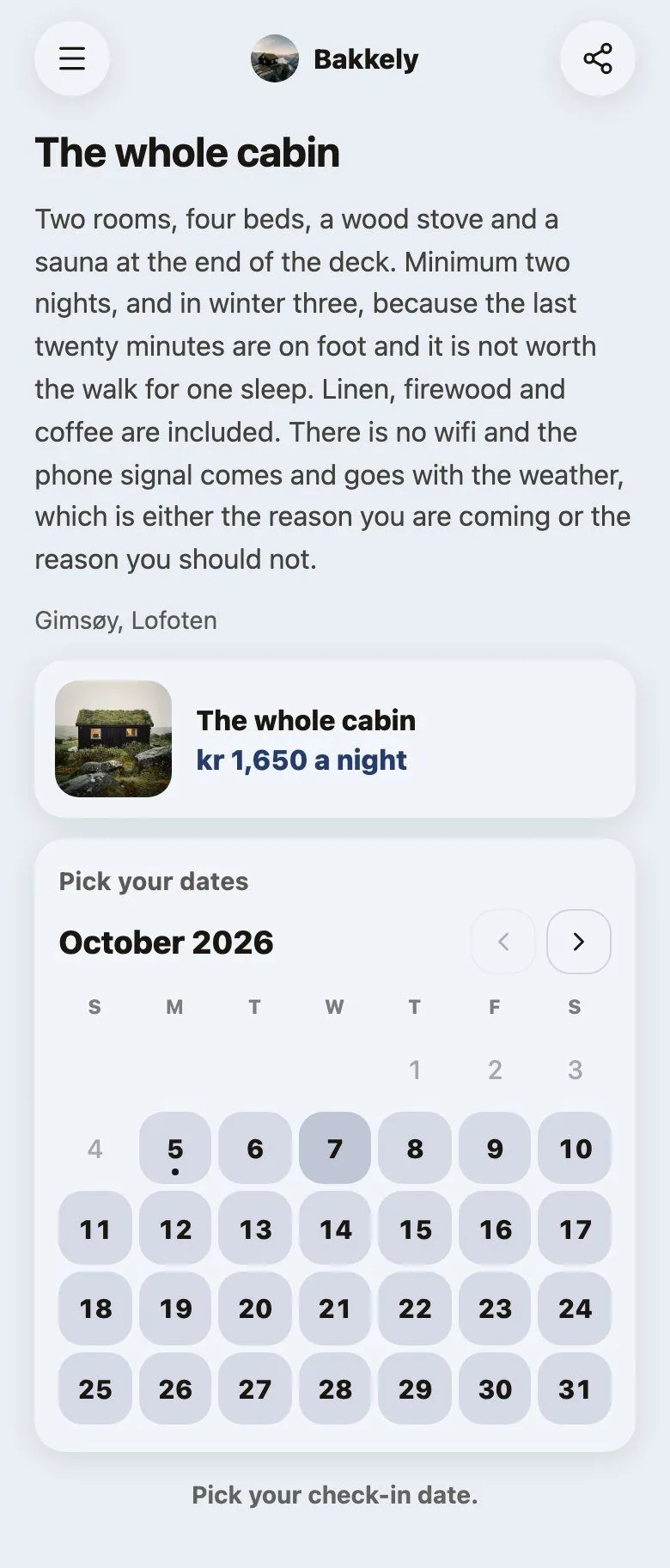
The tools that work in appointments can still handle a recurring class or a group session. TinyCal supports recurring meetings and group sessions with attendee caps, and TidyCal has recurring and package bookings. For a place people stay in, day-based booking is the shape that fits.
Payments
Taking payment when the booking is made is the best protection against people who book and do not turn up. All five do it through Stripe, and the money goes to your own Stripe account.
In Keepp the payment and the time are one step. The visitor pays, and the time is theirs once the payment clears, so you are never chasing an invoice for a slot already held. You choose it for each booking: paid at booking, free, or a price shown on the page that you settle yourself. Each booking can show your cancellation and refund terms before the visitor confirms. Your own Stripe account makes you the merchant of record. Get paid your way covers the three modes.
Questions before the booking
Every one of the five can ask for more than a name and an email. TinyCal calls them intake forms and custom fields. In Keepp, each booking has its own questions: short answers, long answers, a choice from a list or several. Mark one required and nobody can book without answering it. The answers are saved with that booking in your dashboard, next to the time and the visitor’s details. Custom questions for bookings has examples for coaches, salons and photographers.
What the visitor sees
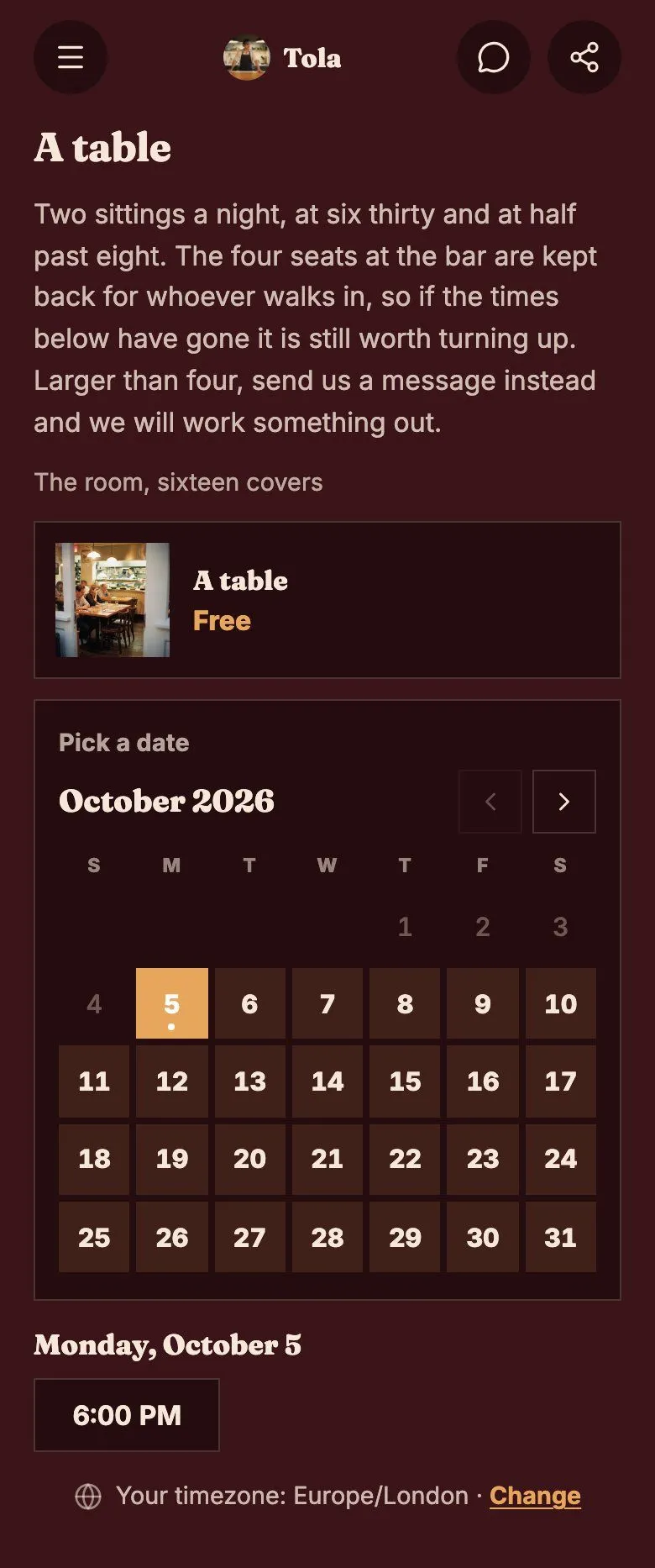
A scheduling link usually opens on the tool’s own page, in the tool’s colors, with its branding. Cal.com and Calendly remove their branding on paid team plans, and TidyCal does on Pro.
A Keepp booking opens on your page, in your page’s theme. The calendar takes on your colors, fonts and corners, so it looks like part of what you made. Here is the same booking on two different Keepp pages.
One calendar, several kinds of booking
If you offer a free first call, an hour one to one and a small group, you want three bookings that share one calendar. In Keepp you connect one Google Calendar to your account and make as many bookings as you have kinds of session. Each has its own length, price, photo and questions, and its own link and QR code, and they all read the same calendar, so a time taken in one disappears from the others. TinyCal’s free plan stops at three services, and Calendly’s free plan has one event type.
The page around the calendar
The last difference is the biggest for a small business. Calendly, Cal.com, TidyCal and TinyCal are scheduling tools, so the rest of what you do sits on other tools: a link page, a checkout, a form, a chat. Each has its own login, and the visitor moves between them.
Keepp is a page first. The booking sits on the same page as your shop, your links, a form and a chat, at keepp.link/yourname. There is one landing page to share and one place to manage it, and no scheduling portal on the side. A booking also has its own link, so you can send someone straight to the calendar for one session. If you already use another scheduler, a plain link block on your Keepp page can point at it while you decide.
Which one fits
- You need round-robin scheduling across a team: Calendly Teams or Cal.com Teams.
- You want to self-host or build on an open API: Cal.com.
- You want the lowest one-off price: TidyCal’s $29 lifetime deal.
- You are a coach or consultant who wants intake forms and group sessions at $7 a month: TinyCal.
- You want the booking on a page that also sells, collects leads and answers questions, in your own look: Keepp.
A Keepp booking page also works as your link in bio, so your socials, your shop and your calendar sit behind the one link in your profile.
Questions people ask
TidyCal vs Calendly: which is cheaper? TidyCal has a free plan and a $29 one-time lifetime deal. Calendly’s free plan has one event type and no payments, and its paid plans start at $10 per seat a month.
Calendly vs Cal.com: what’s the difference on the free plan? Cal.com’s free plan includes unlimited event types and calendars and takes Stripe or PayPal payments. Calendly’s free plan has one event type and no payments. If you want the booking on a page that also sells, collects leads and answers questions in a chat, Keepp does that on one page, and the money goes to your own Stripe account.
Is there a free alternative to Calendly that takes payments? Cal.com’s free plan accepts Stripe and PayPal payments. Keepp’s free plan includes bookings and selling, and TidyCal and TinyCal each have a free plan too. Check each pricing page for the fee on payments.
Which of these works with Google Calendar? All five.
Can I take bookings by the night instead of by the hour? Keepp has day-based booking with a check-in, a check-out, a minimum stay and a price per night.
Can the booking calendar match my brand? In Keepp it does by default, because it is part of your page and takes on your page’s colors and fonts. The other tools offer branding options on their paid plans.
Can I use Keepp alongside Calendly while I decide? Yes. Add a link block on your Keepp page that points to your Calendly page, and move the booking over when you are ready.
Claim your page at keepp.link, add a booking and connect Google Calendar. It is free to start. The calendar page shows the booking experience in more detail, and the Calendly alternatives list goes through the tools one at a time.