How to Track QR Code Scans (Without a Separate QR Generator)
See how many people scanned each of your QR codes: your page, each custom link and each product or booking. How QR scan tracking works on Keepp and how to use it to compare flyers, packaging and posters.
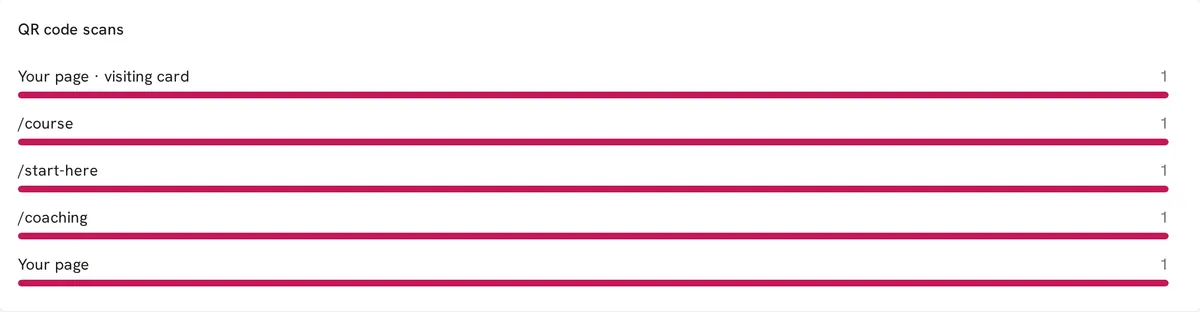
To track QR code scans, the code has to point at an address that records each visit and can tell a scan apart from an ordinary click. Every QR code made on Keepp does this. Open Analytics and the QR code scans panel shows how many people scanned each code in the range you pick: the code for your page, the code for each custom link, and the code for each product, booking or form. Scans from your digital visiting card are counted on their own line.
How does QR code scan tracking work?
A Keepp QR code holds your page address with a small marker on the end. When someone scans it, your page opens, counts the visit as a scan of that code, and then removes the marker from the address bar. The visitor sees the clean address. If they copy it and send it to a friend, the friend’s visit counts as a normal visit, not another scan.
Each code is counted against what it opens:
- Your page, for codes that open the page itself
- Each custom link, such as
/menuor/book - Each block, such as a product or a form, by its name
- Your page · visiting card, for scans of the code on your digital visiting card
What can I learn from QR code analytics?
Which print works. Give the window poster and the flyers different codes and you can see which one people scan. A poster that gets no scans in two weeks is in the wrong place or says the wrong thing.
Whether packaging brings people back. A code on the box that opens the product shows how many buyers come back to look again.
Which event was worth it. Use a different custom link for each market or conference and compare the counts afterwards.
How print compares with online. Scans sit next to the rest of your Analytics: visits, clicks, the sites sending you traffic, and where people drop out of a booking or checkout. You can see whether people who arrive by scanning go on to book or buy.
Track by placement with custom links
The neatest way to compare placements is to give each one its own custom link and make a code for each:
keepp.link/yourshop/windowon the window posterkeepp.link/yourshop/flyeron the flyerskeepp.link/yourshop/boxon the packaging
They can all open the same block. The QR code scans panel counts each code separately, and the Custom links panel shows every visit to each link, scanned or typed.
Custom links also make the code dynamic: you can point it at something new later and the count carries on.
Do I need UTM parameters?
No. You don’t need to build tracking addresses or add anything to the code yourself. The marker is added for you when the code is made and removed when the page opens.
Is QR scan tracking private?
Keepp counts scans as part of your page’s own analytics. Visitors do not sign in, install anything or see a tracking address. The count tells you how many scans each code got, not who scanned it.
Common questions
Does a scan count if the person doesn’t tap anything? Yes. Opening the page from the code is the scan.
Will the same person scanning twice count twice? Scans are counted per visit, so someone who scans again or reloads during the same visit is counted once.
Which plan includes QR scan analytics? QR codes and Analytics are both part of the Pro plan.
Get started
Make and print a QR code, then check Understand your analytics for where the panel sits.