Stop Losing Visitors Who Aren't Ready to Buy Yet
A form on your page, submissions in one searchable inbox, how to capture who's interested and what people think, with custom questions, verification, and CSV export, without a separate tool.
Someone visits your page, likes what they see, but isn’t ready to buy or book yet. Without somewhere for that interest to go, it just leaves, no name, no email, nothing to follow up with later. The visit happened, and you have no way to know it did.
A form block fixes that specific gap: it gives an interested person somewhere to leave something before they go, and gives you a record to work from afterward. This post covers how the block actually works: the three presets, custom questions, verification, where submissions land, and four real setups (a coach’s intake form, a maker’s custom-order request, a business’s feedback form, and an event’s RSVP form) so you can see which shape fits what you’re trying to collect.
Three shapes of form, because “collect information” means different things
A form on your page can be set up as one of three presets, depending on what you’re actually trying to learn:
- Lead capture: someone leaves their name and contact details because they’re interested in something, even if they’re not ready to act yet. This is the discovery-call request, the “notify me when it’s back in stock,” the “I want a quote.”
- Feedback: ratings and open responses from people who’ve already bought, booked, or visited, so you know what’s working and what isn’t.
- Custom: build the exact set of questions you need, from short text and long text to single/multi-select, ratings, and more, when neither preset fits. A custom-order form or an RSVP form both start here.
Each form always has exactly one identifying field, an email or a phone number, so every submission is tied to a real person you can follow up with, not an anonymous response you can’t act on. That’s a deliberate constraint: a feedback form with no way to reply to the person who left it isn’t actually useful, it’s just a comment box.
Custom questions, and how to keep the form short enough that people finish it
Beyond the identifying field, you add whatever questions actually matter for that specific form. The field types cover most of what a small business needs to ask:
- Short text: a name, a company, a one-line answer (“what’s the occasion?”).
- Long text: a description, a request, the kind of open-ended detail a custom order needs.
- Single-select: pick one option from a list (a size, a time preference, a service tier).
- Multi-select: pick any number of options (which products someone’s interested in, which days work for a call).
- Rating: a numeric or star scale, the backbone of a feedback form.
The mistake worth avoiding is asking for everything up front. A long form has a real cost, every extra field is a place someone can decide it’s not worth finishing. The four setups below only ask what that specific job actually needs to move forward, and nothing else. If you’re deciding between a form and a different block entirely for what you’re building, choosing the right block is built for that decision.
Where a form lives, and why that matters
A form isn’t a separate page you have to send people to. It’s a button on your page that opens right there, next to whatever prompted the interest. That means a lead form can sit next to the product someone was just looking at, a feedback form can follow directly after a booking, or an RSVP form can sit right under the event details. The context isn’t lost between “the thing that interested them” and “the form asking about it.” That’s the same logic behind scheduling a block so a form only appears while it’s relevant: an RSVP form that disappears the day after the event, for instance.
If you want to make sure the response is really theirs, an email field can require a one-time code before the submission counts. That’s the verification layer, and it’s what keeps a feedback or RSVP form honest: without it, nothing stops someone from submitting the same form five times under five made-up emails to pad a rating or claim five raffle entries. With it, each verified submission maps to a real inbox someone actually controls. Turn it on for anything where the count matters (feedback you’re going to average, an RSVP you’re going to cap, a giveaway entry) and leave it off for low-stakes lead capture where a slightly noisier list is a fine tradeoff for a lower-friction form.
Everything lands in one place, not scattered across tools
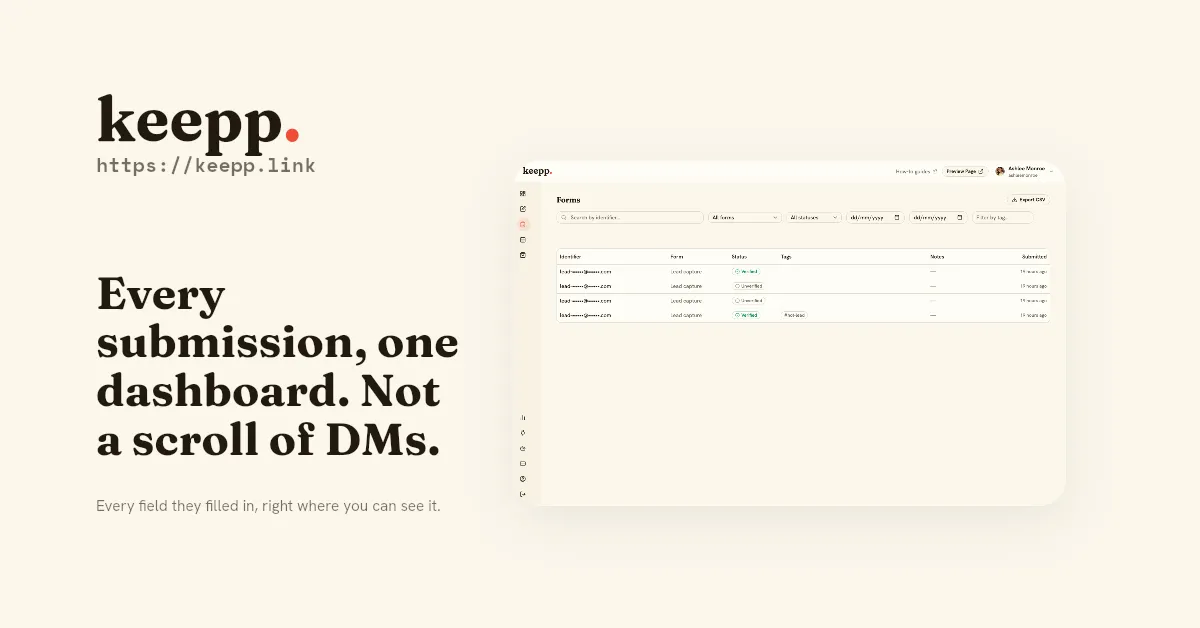
Every submission, from any form on your page, lands in one Data view in your admin, searchable and filterable. You can look up everything a specific person has submitted across every form, tag submissions to track where they are in your process, and export the whole thing to CSV when you need to work it in a spreadsheet or hand it to someone else. Read your submissions covers the inbox itself in detail: filtering by form, by date, by tag, and what the export actually contains.
That matters because the alternative is the usual mess: a few leads in your notes app, some feedback in a spreadsheet you forgot to update, a submission you meant to follow up on and lost track of. One searchable place means you open it, see what came in, and work through it on your own schedule, instead of reconstructing who said what from three different apps.
Four setups, because the same block does different jobs
The coach: discovery-call intake
A consultant or coach doesn’t want a discovery call with someone whose problem they can’t actually help with: the call itself is the expensive resource, and an unqualified caller wastes it for both sides. A lead-capture form placed next to the booking block asks two or three custom questions before someone picks a time: what they’re looking for help with (long text), their current stage or budget range (single-select), and how they heard about the coach (short text, useful for knowing which channel is actually working). The identifying email field means the coach has a real contact even for someone who fills out the form and then doesn’t book. See booking page for coaches and consultants for how the intake form and the calendar sit together on the same page.
The maker: custom-order requests
Someone who makes things to order (custom jewelry, commissioned art, made-to-fit pieces) can’t just put a single “buy” button on a one-off item, because the details of what’s being made haven’t been decided yet. A custom-shaped form does that job: long text for the description of what they want, single-select for size or material options, and a phone number as the identifying field if the back-and-forth is easier over text than email. The submission becomes the spec the maker works from, and it’s searchable later if the same customer orders again. Online store for handmade sellers covers where a form like this fits next to a maker’s regular product listings, and selling a product covers the ready-to-buy side once a custom order’s price is settled and it’s time to actually invoice it.
The business: post-purchase feedback
A small business that just fulfilled an order or finished a booking wants to know how it went, without chasing the customer down for a review. A feedback-preset form, a rating field plus one open-text “anything we should know”, placed to appear right after a booking or purchase catches the customer while the experience is still fresh. Turning on email verification here is worth it: an average pulled from five real customers means something, an average padded by one person submitting six times doesn’t. Tag low ratings in the Data view so they surface first, and you’ve got a lightweight version of what a dedicated feedback tool does, without adding a tool.
The event: RSVP collection
An event page needs a headcount, not a conversation. A custom form with a single-select (“attending” / “not attending”), a multi-select for dietary restrictions or which day of a multi-day event someone’s coming to, and an email as the identifying field gives an organizer an exportable list they can hand to a caterer or a venue. Scheduling the block so the RSVP form only shows while registration is open, and disappears once the event has passed, keeps the page accurate without anyone having to remember to remove it manually. Export to CSV once RSVPs close, and the headcount is a spreadsheet, not a tally kept in someone’s head.
What this replaces
If you’re currently collecting interest through comments, screenshots, or a scattered set of DMs, a form is the structured version of the same thing: someone tells you they’re interested or gives you feedback, in a format you can actually search and act on later, instead of a conversation you have to remember happened. It sits alongside the rest of what a page can do: a product, a booking calendar, links and cards, or chat, as one more block that completes an action in place instead of handing a visitor off somewhere else. If your page is turning into more than a handful of blocks, structuring a long page covers how to keep a form from getting buried, and once submissions start coming in, understanding your analytics shows how many visitors actually reached the form versus how many completed it.
Forms are a Pro feature; the pricing page has the full breakdown of what’s on each plan. If you haven’t set up the rest of the page yet, start with claiming your page and setting up your profile, then add a form once you know what you’re trying to learn from visitors.
Add a form to your keepp.link page and start collecting responses, free to start.