Best Booking App for Tattoo Artists (November 2026)
The best booking app for tattoo artists in November 2026: Keepp takes the deposit when the time is picked, on a page that shows your work and sells flash.
We check every tool on this list and refresh it every month. Next update: 5 December 2026.
The best booking app for tattoo artists in November 2026 is Keepp. Clients pick a time from your real availability and pay the deposit right then, into your own Stripe account, on the same page that shows your portfolio, sells your flash and prints, and answers their questions.
That matters because most tattoo booking still runs through DMs. Someone asks about a piece, you go back and forth on size and placement, send a payment link, chase the deposit, then try to agree on a date, and by then half of them have gone quiet. A booking app built for tattoo work puts the deposit and the date in one step, so the clients who book are the ones who pay. This list compares the tattoo booking software artists search for, with what each charges, gates or sends elsewhere, using facts from each tool’s own pages as of November 2026.
Quick picks
- Best booking app for tattoo artists overall: Keepp. Deposits, your calendar, your portfolio, a shop and a chat on one page, on your own domain if you want.
- Best tattoo deposit booking system: Keepp. The deposit is paid when the time is picked, so an unpaid request never takes a slot.
- Best free tattoo booking app: Keepp. Take paid deposits on the free plan, with no monthly bill before your first client.
- Best app for tattoo artists who sell flash and prints: Keepp. Your shop sits on the same page as your bookings, with the money going to your own Stripe account.
Tattoo booking apps, compared
| Tool | Free plan | What it costs to start taking deposits | Your page |
|---|---|---|---|
| Keepp | Yes | $0, with a 5% fee on Free, 3% on Pro, 0% on Influencer, plus Stripe | A full website with portfolio, shop, bookings and chat, on your own domain |
| Porter | No, 30-day trial | Artist Essentials, $35/mo | Shop website only on Studio Pro, $250/mo |
| InkDesk | No, 30-day trial | $300 a year up front, or $35 monthly | Not found |
| Venue Ink | Yes | $0, with 10% on every card payment, charged to clients by default | A link in bio page |
| Booksy | No, 14-day trial | $29.99/mo plus tax, $20/mo per extra user | Not found |
| Square Appointments | Yes | $0, with online card payments at 3.3% + 30¢ | A booking site |
| Acuity Scheduling | No, 7-day trial | Starter, $16/mo yearly or $20 monthly | A scheduling page |
| Goldie | Up to 20 appointments a month | Pro for more, $19.99/mo | A booking website |
Card processing is charged on top everywhere. Keepp is our own product. Facts as of November 2026.
1. Keepp
Keepp is a website and link in bio in one, and it’s getting popular with tattoo and piercing artists who want clients to book without a week of messages. You claim your page with Continue with Google, add your work and a booking, and it’s live at keepp.link/yourname, or on your own domain.
Why Keepp is the best booking app for tattoo artists:
- The deposit is paid when the time is picked. Set a booking’s price to your deposit and the client pays it through Stripe Checkout as part of booking. The money goes to your own Stripe account and you’re the merchant of record, so there’s no payment link to send and no slot held for someone who never pays.
- Your calendar stays true. Connect Google Calendar once and anything already on it, from a long session to a convention weekend, blocks that time on your page. Each new booking is written back to your calendar.
- Clients sort out changes themselves. The confirmation carries a link to reschedule or cancel, so moving a session no longer means another thread in your inbox.
- Your work sells the booking. The same page shows your portfolio, healed photos and styles, so a client sees what you do and books it without leaving. Consultations can be free and session deposits paid, side by side.
- Flash, prints and merch on the same page. Sell flash sheets, prints, aftercare guides or gift items from a shop on your page, with checkout right there and the money in your Stripe account.
- Enquiry forms with real clients behind them. Ask for placement, size and style up front, and every enquiry is tied to an email or phone you can reach.
- A chat that answers before they book. Questions like “do you do cover-ups?” or “where’s the studio?” get an answer from your page straight away, and anything that needs you moves to your Telegram, with your reply showing up on the page.
- Every client in one place. Bookings, purchases and enquiries land in one dashboard where you can tag clients, keep private notes and export everything to CSV.
- A link and QR code for every booking. Put a flash day booking in a post or print its code at your station, and people land straight on that booking.
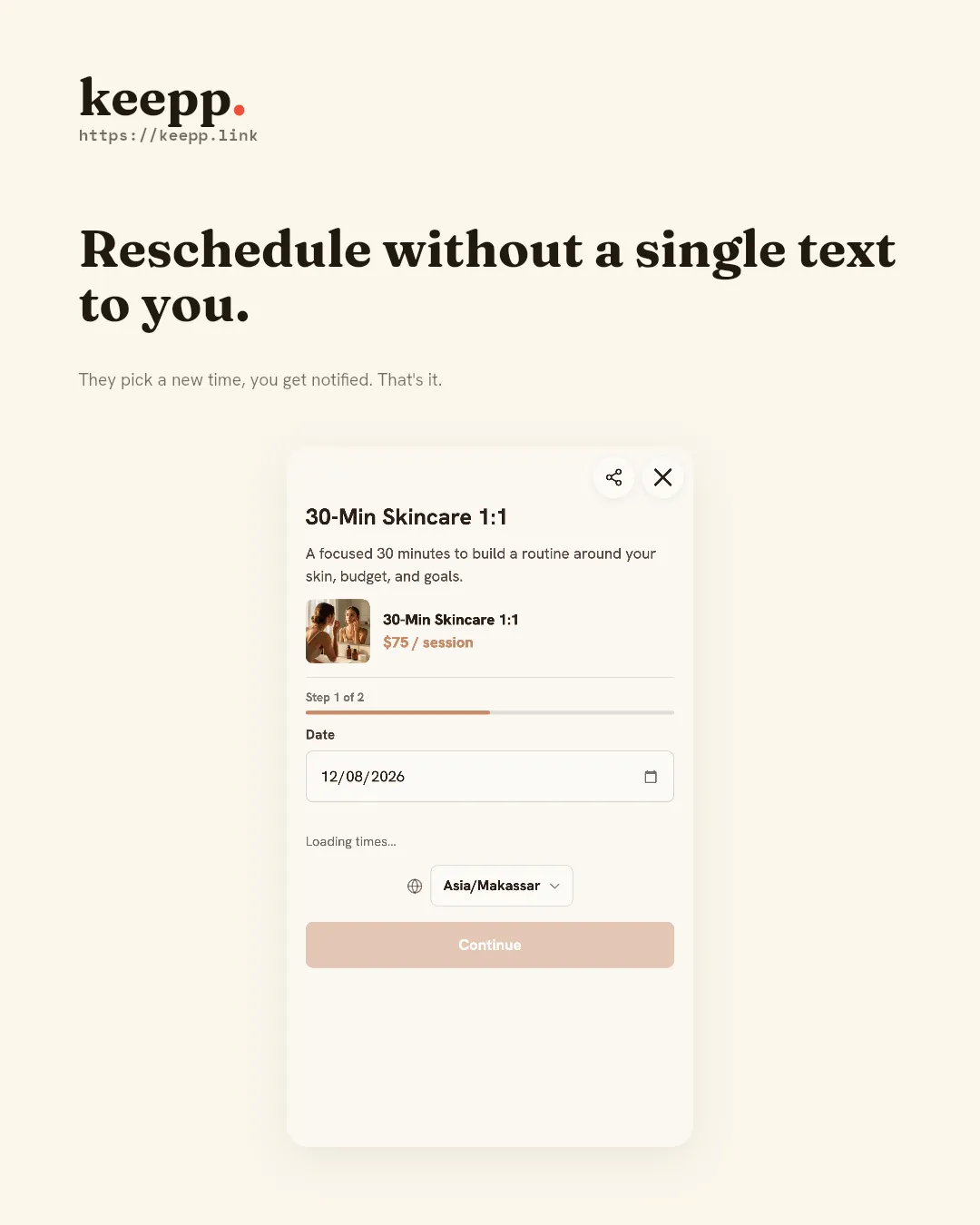
You can take deposits on the free plan. Keepp’s fee on paid bookings and sales is 5% on Free, 3% on Pro ($9.99 a month) and 0% on Influencer ($24.99 a month), plus Stripe’s processing fee. Paid plans are month to month with a 7-day free trial, and if you ever cancel, your page stays live on Free.
Booking pages for tattoo and piercing artists shows what a tattoo page looks like, and how online bookings work covers availability, payment and rescheduling in detail.
2. Porter
Porter has no free plan. Artist Essentials is $35 a month after a 30-day trial, and Artist Pro is $65 a month. A custom shop website is listed only on Studio Pro at $250 a month, which is sold through a demo call, and no annual prices are shown.
3. InkDesk
InkDesk has no free plan, only a 30-day trial. The Solo plan is shown as $25 a month billed at $300 a year, and its FAQ gives $35 for paying monthly. The Studio plan is listed at $55 a month on the plan card and at a $50 base in the FAQ, plus a charge per extra artist. A website, your own domain and a chat for visitors are not mentioned on its pricing page, so your portfolio and your link in bio live somewhere else.
4. Venue Ink
Venue Ink’s free Solo and Studio plans take 10% to process deposits and card payments, charged to your clients by default, so a $100 deposit becomes $110 for them. The fee drops to 5% on Solo Pro at $50 a month or Studio Pro at $150 a month, and its FAQ says the Pro plans are set up by contacting the team. Your page is a link in bio, and connecting your own domain is not mentioned.
5. Booksy
Booksy has one plan at $29.99 a month plus tax, after a 14-day trial, and each extra user is $20 a month. Clients who find you through Booksy’s Boost marketplace cost a one-time 30% of their first visit, up to $100. A website or your own domain is not mentioned on its pricing page.
6. Square Appointments
Square Appointments has a free plan, but online card payments on it cost 3.3% + 30¢, and payments only run through Square. Cancellation policies and no-show fees need Square Plus at $49 a month per location, and on Plus and Premium the monthly fee applies to each location you run.
7. Acuity Scheduling
Acuity has no free plan. Its FAQ says it doesn’t offer free scheduling, so after a 7-day trial you pay from $16 a month billed yearly or $20 monthly for Starter, which covers one calendar. Acuity is a scheduling tool, so your portfolio and your link in bio stay somewhere else.
8. Goldie
Goldie is aimed at salons and beauty businesses. Its free plan stops at 20 appointments a month, so a busy month needs Pro at $19.99 a month or $199.99 a year. You get a booking website; selling flash or prints and connecting your own domain are not mentioned on its pricing page.
What changed in November 2026
- No price changes were found at Porter, Booksy, Square Appointments or Acuity since October.
- InkDesk’s pricing page shows two different Studio prices, $55 a month on the plan card and a $50 base in the FAQ, so check the checkout before you subscribe.
- Venue Ink’s Pro plans are arranged by contacting the team rather than signing up on the site.
- Porter’s Studio Pro is listed at $250 a month and sold through a demo call.
FAQ
What is the best booking app for tattoo artists? Keepp. Clients book from your real availability and pay the deposit when they pick the time, on the same page as your portfolio, your shop and a chat, and the money goes to your own Stripe account.
What is the best tattoo booking software for a solo artist? Keepp, because it starts free and grows with you. Porter, InkDesk, Booksy and Acuity have no free plan, so you pay once the trial ends whether or not anyone has booked, and Venue Ink’s free plan adds 10% to every card payment.
How do I take tattoo deposits online? Add a booking to your Keepp page and set its price to your deposit. The client pays it through Stripe Checkout when they pick the time, so every slot on your calendar is one that’s paid for. You can settle the rest of the price in the studio.
What is the best tattoo deposit booking system? Keepp. The deposit and the date happen in one step, clients reschedule or cancel from their confirmation, and the money lands in your own Stripe account.
What are the best apps for tattoo artists? A booking app, a portfolio, a shop for flash and prints, and a way to answer questions. Keepp puts all of them on one page, with bookings, a shop, forms and a chat, so you’re not paying for and updating several apps.
Is there a free tattoo booking app? Yes. Keepp’s free plan takes paid deposits with a 5% fee plus Stripe, and no monthly bill.
Can tattoo clients reschedule their own appointment? On Keepp, yes. The confirmation carries a link to reschedule or cancel, and your Google Calendar follows the change.
Claim your page at keepp.link with Continue with Google, add your first booking and take your next deposit on your own page.
Like what you read? Add Keepp as a preferred source on Google to see more of our posts in your search results.