Write Blog Posts and Listicles Right on Your Link in Bio
Put a blog post, a listicle, a gift guide or a recommended products list straight onto your link in bio page with the Article block. Real examples from coaches, reviewers, photographers, rentals and trades, and how to set one up.
Most advice about putting a blog in your link in bio assumes you already have a blog somewhere else. You add a button that says “Read my latest post”, it opens a separate site, and the reader lands on a page that looks nothing like the one they just left. For a lot of creators and small businesses that separate site is the problem. Building and keeping up a whole blog to publish three posts a year is a lot of work for very little reading.
Keepp’s Article block puts the post on your page instead. On the page it shows as a single card or button with the title. Tap it and the whole thing opens: your photos, an introduction, and a numbered list of points, each with its own heading, text and an optional link. That shape covers most of what people actually want to publish from a bio link: a listicle, a short blog post, a guide, a gift guide, a list of the products you recommend.
This post walks through those uses with real pages, then covers how to set one up.
What the Article block is
An Article has three parts:
- A title. It’s the only thing shown on the page until someone taps, so the page stays tidy however long the article is.
- The body: up to five photos that swipe as a carousel, plus a description for your introduction. Line breaks you type are kept, so paragraphs stay paragraphs.
- Items. Each item has a title, an optional description and an optional link. They show as a numbered list, and when an item has a link, its title becomes that link.
You choose whether it sits on the page as a photo card or as a slim button, full width or half width, and it takes your page’s fonts and colours like every other block. If you’re still deciding what goes where on your page, choosing the right block covers the full set.
Listicles that keep people on your page
The listicle is the obvious fit, and it’s the one that works best on a link in bio. People reach your page from a video, a post or a profile on their phone. A numbered list with a clear promise (“5 mistakes”, “6 things”, “4 signs”) is easy to read in a few seconds and easy to finish.
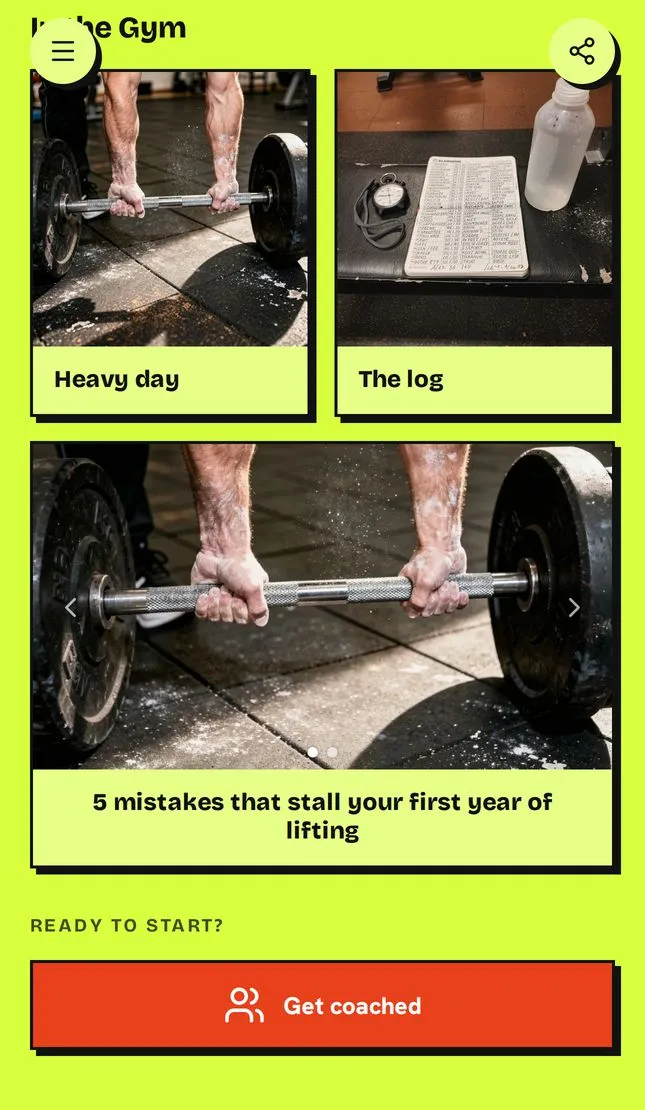
Diego is a strength coach. His page sells two training programs and a free strategy call. Just above the “Get coached” form sits an Article called 5 mistakes that stall your first year of lifting. Each mistake is an item with two sentences of explanation. Readers who recognise themselves in three of the five are the people most likely to book the call underneath it, and they never had to leave the page to get there.
That’s the main advantage over linking out to a blog. The article and the thing you want people to do next are on the same page, one scroll apart.
Short blog posts without a separate blog
Not everything you write is a list. Marcus coaches people out of burnout, and his page has a post called What I tell every client in our first session. The description carries the main argument in a full paragraph. The four items are the points he makes in every first call, each a few sentences long.
It sits on his page as a slim button with a book icon, so it doesn’t compete with his booking card. People who want to know how he works before they apply can read it. Everyone else scrolls past.
For a creator or a one-person business, that’s often all the blog you need: a handful of posts that explain how you think, sitting on the same page people already visit. If you also run a website and are wondering how the two fit together, link in bio when you already have a website covers that split.
Recommended products lists and gift guides
If you recommend products, you already get the question “what’s that lamp?” under every post. A recommended products list answers it once, in one place you can keep pointing to.
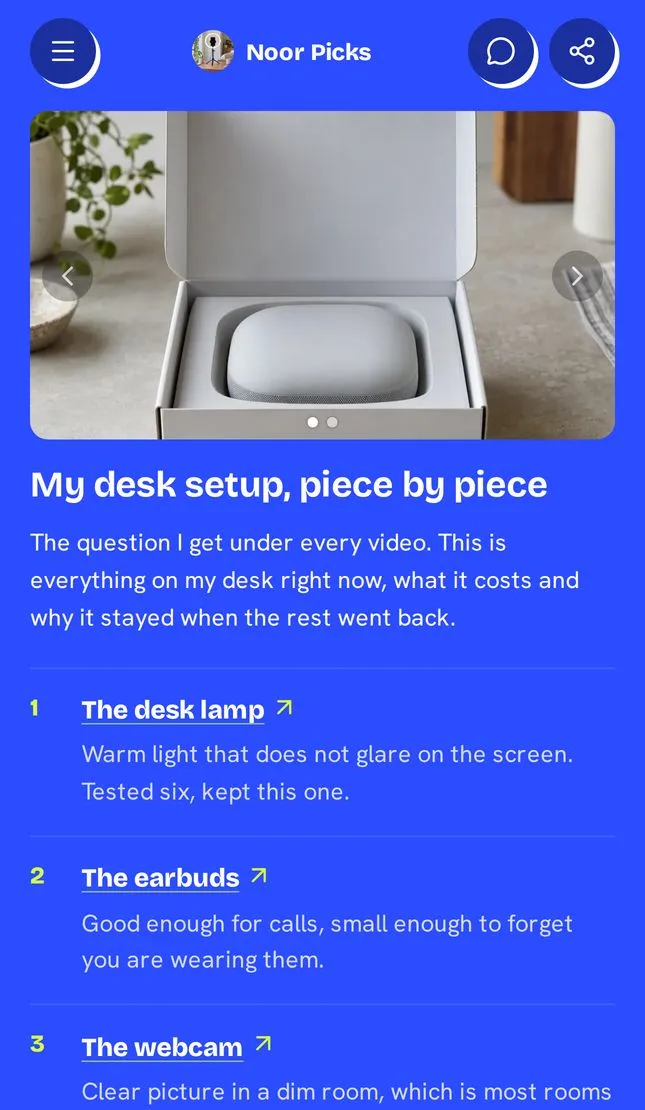
Noor reviews desk gear. Her page has quick links, a few featured product cards and a promo code. Her Article, My desk setup, piece by piece, lists everything on her desk right now. Each item is one product: a one-line reason it stayed, and a link straight to where to buy it. The product photos sit at the top as a carousel.
A few things make this work well for affiliate and shop links:
- Every item title is the link. Readers tap the thing they want. There’s no separate “buy” button to hunt for.
- Outbound links say where the click came from. Keepp adds a
reftag naming your page to links that leave it, and leaves alone anyrefan affiliate program already put there, so your commission tracking stays intact. - The same format makes a gift guide. “Gifts for someone who just started running”, ten items, ten links, ready in December and swapped out in January.
If affiliate links are a big part of what you do, link in bio for influencers and affiliates covers the rest of the page around a list like this.
Guides and how-tos
A guide is a listicle with a job to do. Elin photographs weddings and elopements in Denmark, and couples ask her the same planning questions every season. Her page now answers them with How to plan an elopement in Denmark: paperwork first, then the place, the light, the witnesses, and the photographer, in the order she walks couples through it.
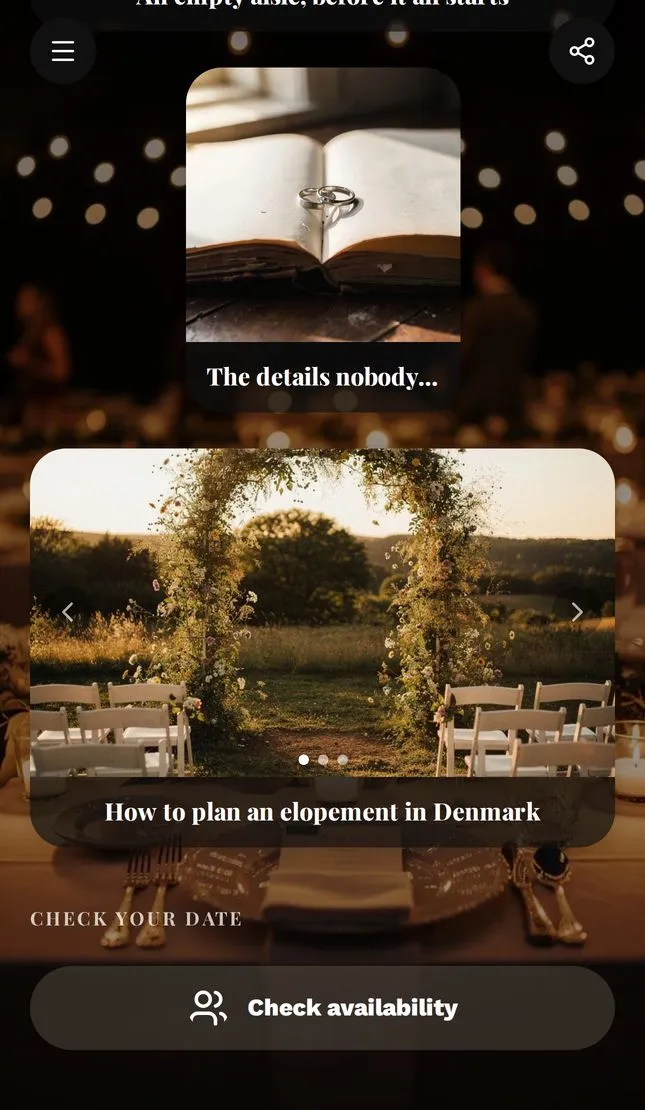
The first item links to where couples apply. The last one says to send her your date. A guide like this is useful to someone who hasn’t hired anyone yet, and it ends at the “Check availability” form directly under it.
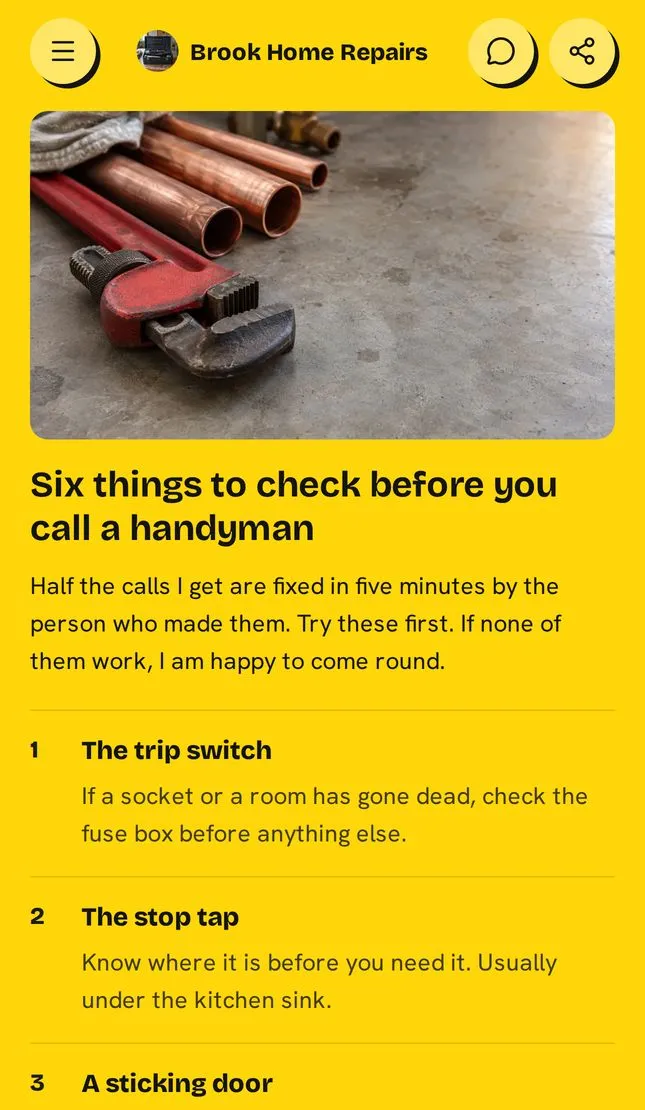
Small businesses get the same value from a practical guide. Brook Home Repairs has Six things to check before you call a handyman: the trip switch, the stop tap, a sticking door. It saves customers a call-out fee for the easy fixes, and it shows exactly the kind of person you’d want to call for the harder ones.
Local guides for rentals, cafes and venues
If guests come to you, a local guide is one of the most useful things you can put on your page. Wren Hollow, a single cabin in the Catskills, has Our guide to the Catskills: 6 things within 30 minutes: a waterfall walk, the Saturday market, a fire tower at sunset, the diner on Main Street. Some items link to a map or a website. Others are just a recommendation and a tip.
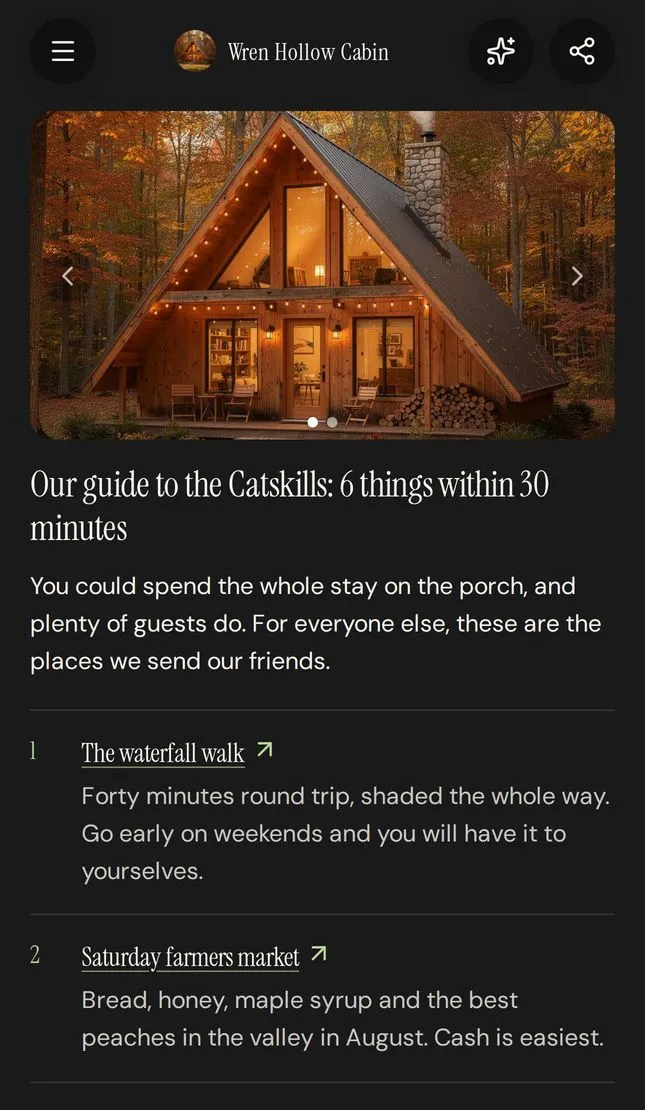
Guests read it before they book, which helps them picture the stay, and again once they arrive. The same idea works for a cafe (“what to do near us on a rainy day”), a venue (“where our wedding guests stay”) or a tour guide (“what to pack”).
Every article has its own link
Each Article gets its own address at keepp.link/yourname/ plus a short code, and opening that link goes straight to the article. When you share it in a message or a post, the preview shows the article’s own title, description and first photo instead of your page’s general preview. You can also get a QR code for it.
So you can post “I wrote down the five mistakes I see most, link in bio” and send people to the article itself, not to the top of your page. Shareable links and QR codes for every block has the details. Articles also show up in your page’s menu, alongside your products, bookings and forms.
Timing and seasonal content
Like any block, an Article can be scheduled to appear and disappear on its own. That suits seasonal content: a gift guide from late November to Christmas, a summer guide to the area from June, a “what to bring” list in the weeks before an event. Schedule a block covers how. Your analytics rank your most clicked blocks, articles included, so you can see which topics are worth writing more about.
How to add one
In the editor, open Add, then pick Article under Text & structure.
- Title. Write it the way you’d write a headline. It’s the only part people see before they tap, so make the promise clear: “6 things to check before you call a handyman” beats “Handy tips”.
- Description. Your introduction: why you wrote this and who it’s for. Two or three sentences is plenty for a listicle. A blog-style post can say more.
- Photos. Add up to five. The first one is the cover on the card and in link previews.
- Items. Add one per point, product or place. Only the title is needed; add a description to explain it and a link if there’s somewhere to send people. Reorder with the arrows.
- Style. Card or button, full or half width, and the image shape, on the Style tab.
You can also ask an AI assistant to write and add one for you. Keepp works with Claude and ChatGPT, so “add a listicle of my five favourite running shoes with links” can go straight onto your page. Manage your Keepp page with AI shows how to connect one.
A few habits that make articles work
- Lead with the number or the outcome. “5 mistakes”, “My desk setup, piece by piece”, “How to plan an elopement in Denmark”. The title has to earn the tap on its own.
- Keep items short. One heading and two or three sentences each. If an item needs a page of its own, it’s probably a second article.
- Put the next step right after it. A booking card, a product, a form. The reader who finished your list is the warmest visitor you’ll get today.
- Use real photos. Your desk, your cabin, your gym. They do more for the article than any stock image could.
- Share the article’s own link when you post about it, so people land on the article itself.
You don’t need a separate blog to publish the things your audience keeps asking about. Write them where people already find you.