Same Night, Four Cameras: Chrome, Classic, Noir, and Your iPhone
Three vintage film looks and your plain iPhone camera, in one app — with real example photos from the same night. How Chrome, Classic 36 and Noir each see a room.
By Thinslate Labs
Originally published on Thinslate Labs. 36 Takes is a Thinslate Labs app, like Keepp.
Most vintage camera apps hand you fifty filters and let you audition them on the same photo until one of them looks nice.
36 Takes makes you pick your film before you shoot, and then you live with it.
That’s not stubbornness. It’s how film worked: the character was in the emulsion before the light ever arrived. When you loaded a roll of slide film you’d bought the look, and the look was what you got, for all thirty-six frames.
So the app bakes the grade in at the moment of capture. The raw sensor data isn’t kept — only the photograph. There’s no going back and trying it in another stock.
There are four. Three are film. One is your iPhone.
The same night, four ways
Below are four real frames, shot minutes apart at the same venue on the 4th of July, one in each stock. Worth being straight with you about what you’re looking at: because the grade is baked in at capture, these are four different photographs of the same scene, not one photograph re-graded four times. That’s exactly the constraint the app imposes on you, so it seemed dishonest to show you anything else.
The neon fish did not move. The crowd did.
Chrome
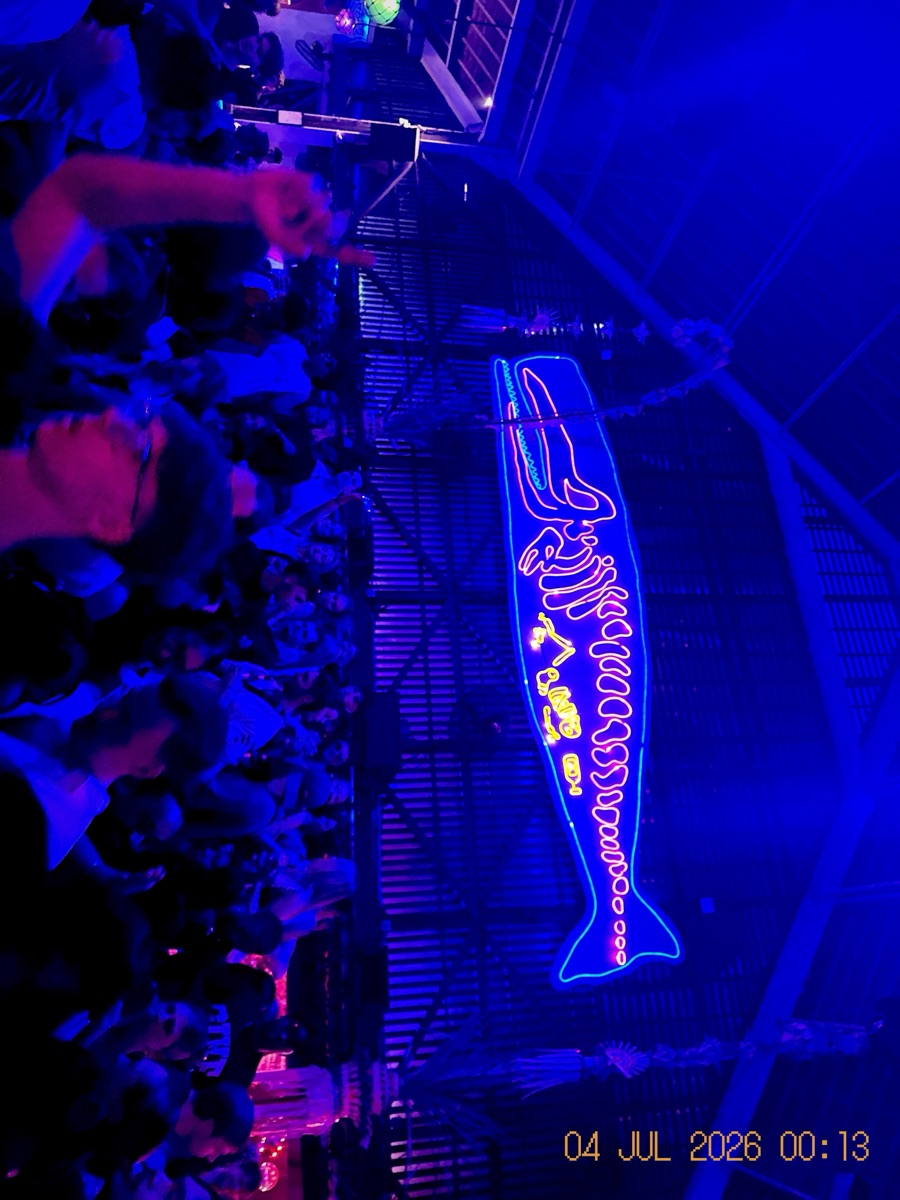
Chrome is slide film. Saturated, contrasty, cool, and completely clean — it’s the only stock in the app with no grain at all.
Look at what it does to the neon: the blue floods, the crowd sinks into shadow, and the sign becomes the entire photograph. Chrome doesn’t record a room so much as decide what the room was about.
Shoot Chrome in daylight and on anything with colour worth defending — a beach, a wedding lawn, a market, a neon sign. It is the app’s default and its hero look, and it flatters a night out enormously.
It will not flatter a grey afternoon. Chrome has no interest in subtlety.
Classic 36
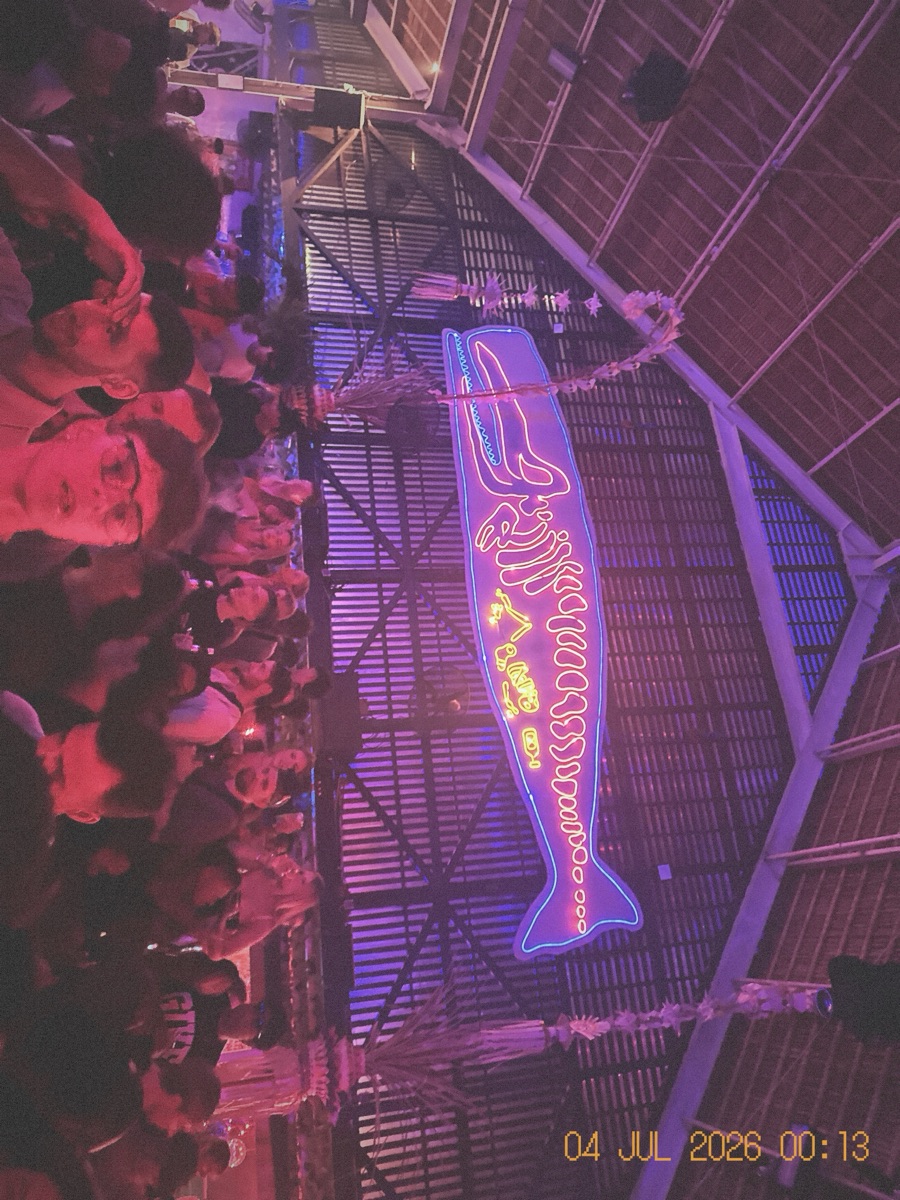
This is the disposable camera. If you have an idea in your head of what “film” looks like, this is almost certainly it.
Classic 36 pulls the saturation down, pushes the white balance warm, lifts the blacks so the shadows go slightly milky rather than black, rolls off the highlights, and drops a heavy vignette around the edge. Then it grains the whole thing.
Notice the corners in that photo — the darkening isn’t an accident, it’s the stock. And notice the shadows: nothing is truly black. That washed, slightly-tired quality is precisely what a drugstore print looked like, and it’s why the photo reads as a memory rather than an image.
Shoot Classic 36 when you want the photograph to feel old the day you take it. Weddings, holidays, anything you suspect you’ll be nostalgic about.
Noir
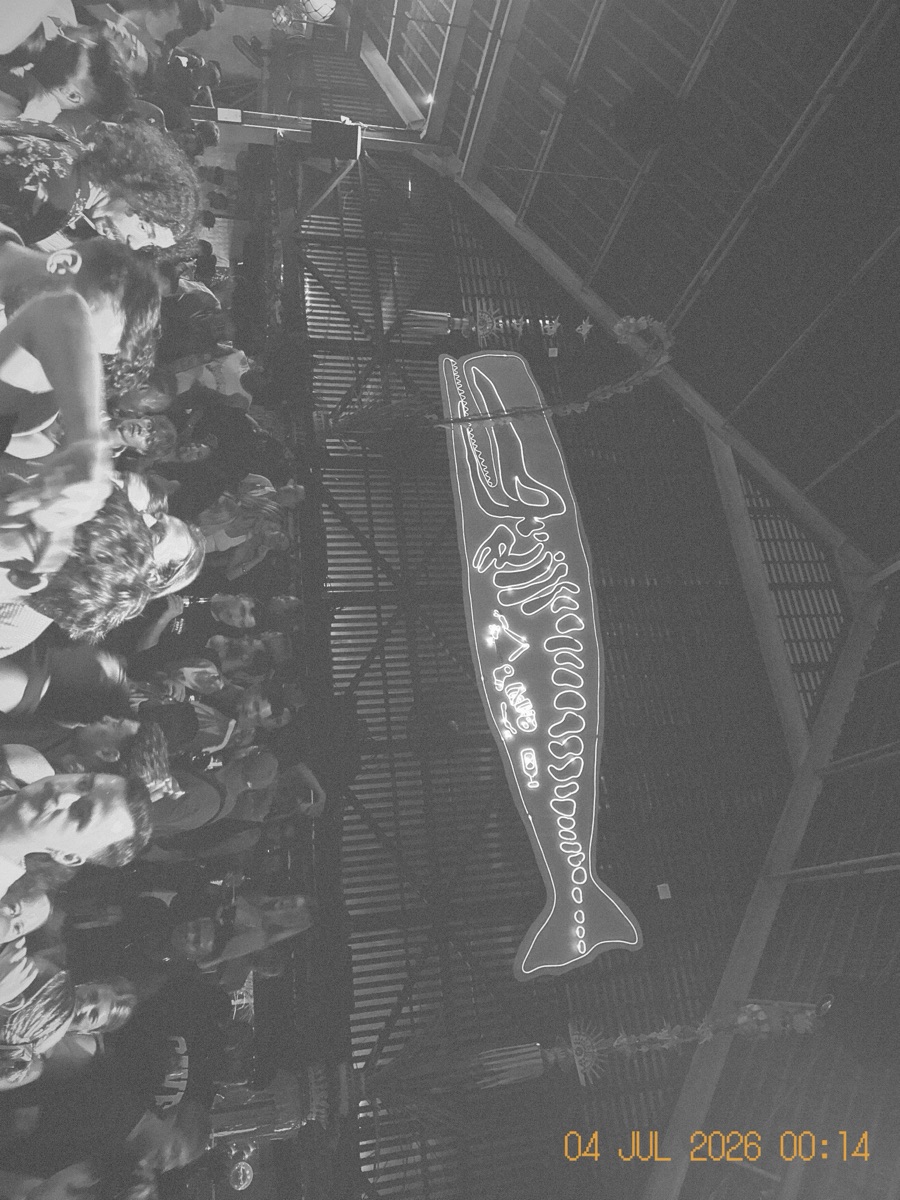
Full black and white, and more thoughtful than a saturation slider dragged to zero.
Noir is the grainiest stock in the app — more grain than Classic — and it’s contrasty without crushing. The shadows are deliberately lifted a touch so that detail survives in the dark bits instead of collapsing into a black hole. You can see it above: the crowd is still there, faces and all, in what Chrome had thrown away entirely.
Strip a neon sign of its colour and you find out whether the photograph had a composition underneath. Usually it didn’t. Occasionally it really did.
Shoot Noir for late nights, rain, architecture, strangers, and anything where the colour is a distraction from the shape.
iPhone
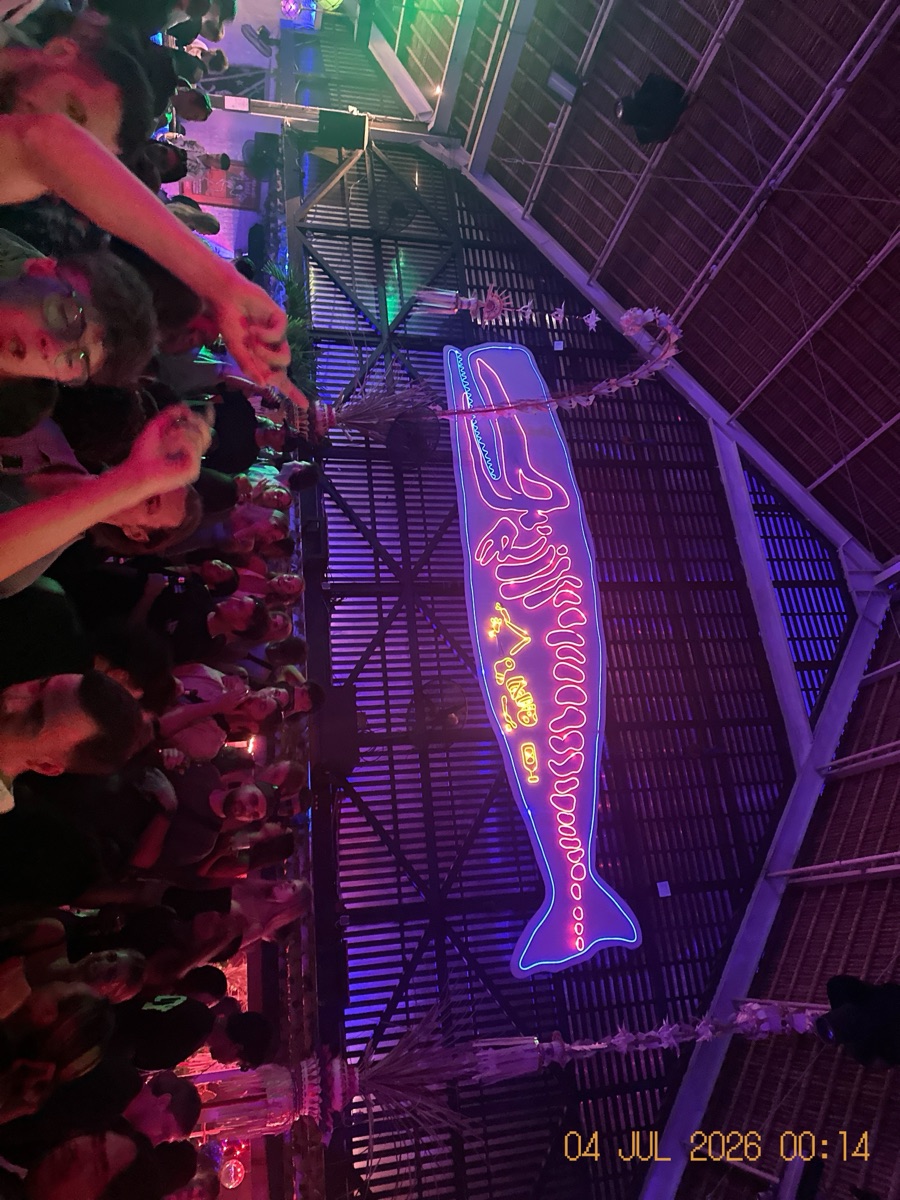
Your phone’s camera, untouched. No grade, no grain, no vignette — only the 3:4 crop that every roll shares, because the crop is the format, not the look.
It’s the useful control. Put it next to Chrome and you can see exactly what Chrome invented: the real sign is magenta and purple, and the ceiling and the crowd are all still legible. Chrome threw the ceiling away to make the fish glow. Classic warmed the whole room and softened it into memory. Noir asked what it looked like as shapes.
iPhone is here for people who want the discipline of the roll — 36 frames, no imports, no do-overs — with none of the styling. That’s a completely legitimate way to use this app, and about as far from a “filter app” as you can get.
So it’s three film looks, plus your own camera
Which is the honest way to describe it: three vintage camera styles and your iPhone, in one camera. A disposable camera that lives in your phone, with a switch on the back for what kind of disposable camera it is today.
You choose the stock in Settings, and it applies to every photo you take from then on. Photos already in the roll are untouched — a roll can happily contain frames from different stocks, which is not something real film could do and is, we think, a fair trade.
Then you don’t touch it again for thirty-six frames.
Why you can’t change your mind
Because you couldn’t. That’s the real answer.
The longer answer is that a look you can apply later is a look that carries no decision. If Noir is one tap away at any point in the future, then you never chose Noir — you deferred it, along with everything else, into a pile of shots you’ll sort out someday.
Choosing your film before the night starts is a small act of commitment, and the commitment is what makes the resulting photograph feel like a photograph. You looked at the room, you decided this was a black-and-white kind of evening, and you were either right or you weren’t. Both outcomes are more interesting than fifty filters.
Also, and not incidentally: it means the photo that developed in front of you at the table is the photo. Nothing happens to it afterwards. What you saw is what you have.
Try it on one roll
Pick a stock. Shoot 36. Don’t switch.
The app is free, the first roll is free, and after that rolls are $9.99 one-time — no subscription. If you want to compare stocks properly, that’s what a second roll is for, on a second night.
Related: what a film roll camera was, and how 36 Takes rebuilds it · 36 Takes vs Dazz Cam: a filter you apply, or a photo you commit to · what happens when a roll ends